 Virtual Roll Call
Run the incident from one screen
Run a critical incident: units and roles, PAR checks, perimeter map, broadcasts and an auto-logged timeline.
Command Center opens from Roll Call when something big happens. In the app it is called Incident Mode, and the same sign-in works.
Live demo: signs you in to a fictional agency. Demo mode, fictional data, resets nightly.
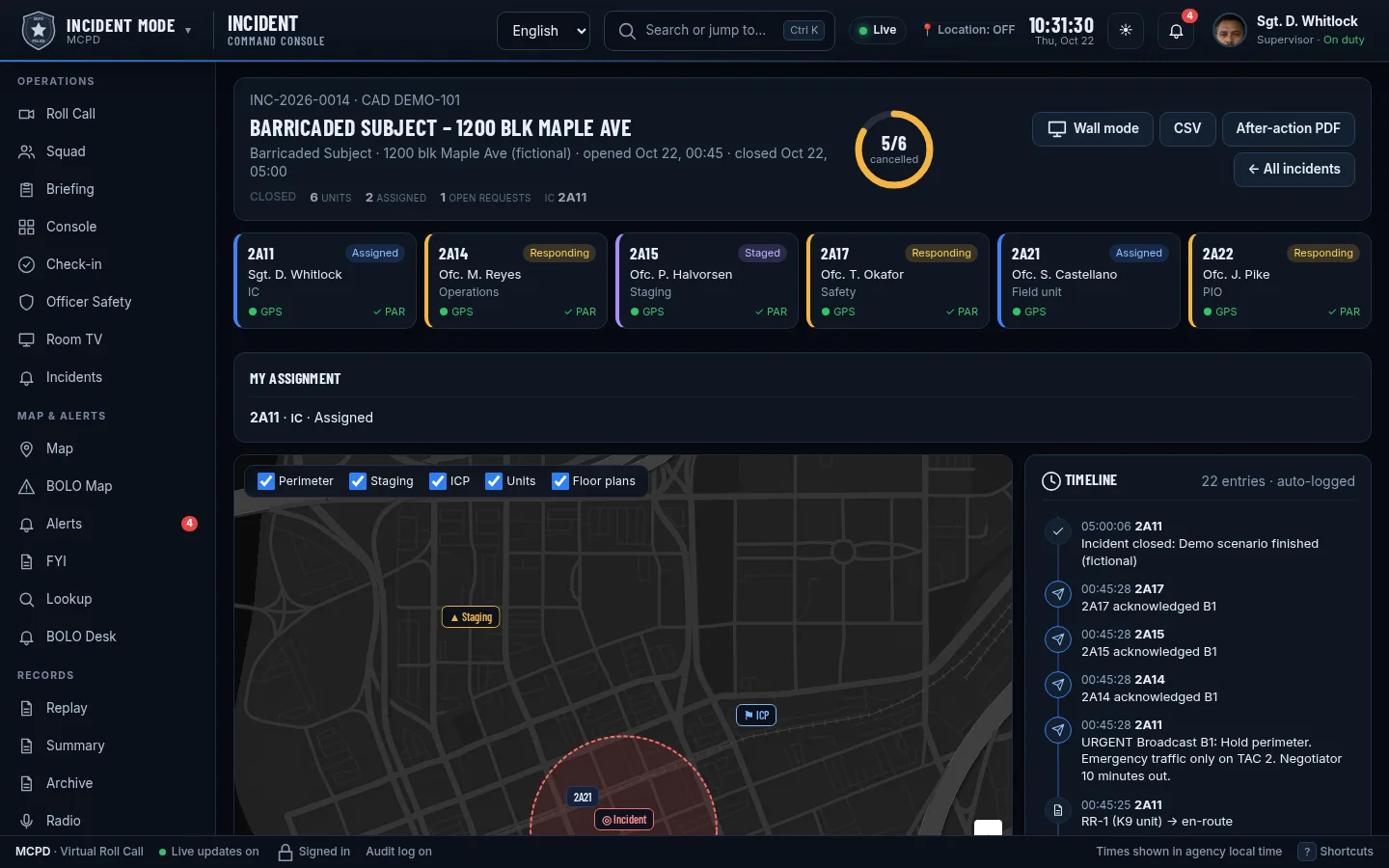
Everything the command post needs
Shown with a fictional demo incident. Click a screenshot to enlarge.
Open an incident in seconds
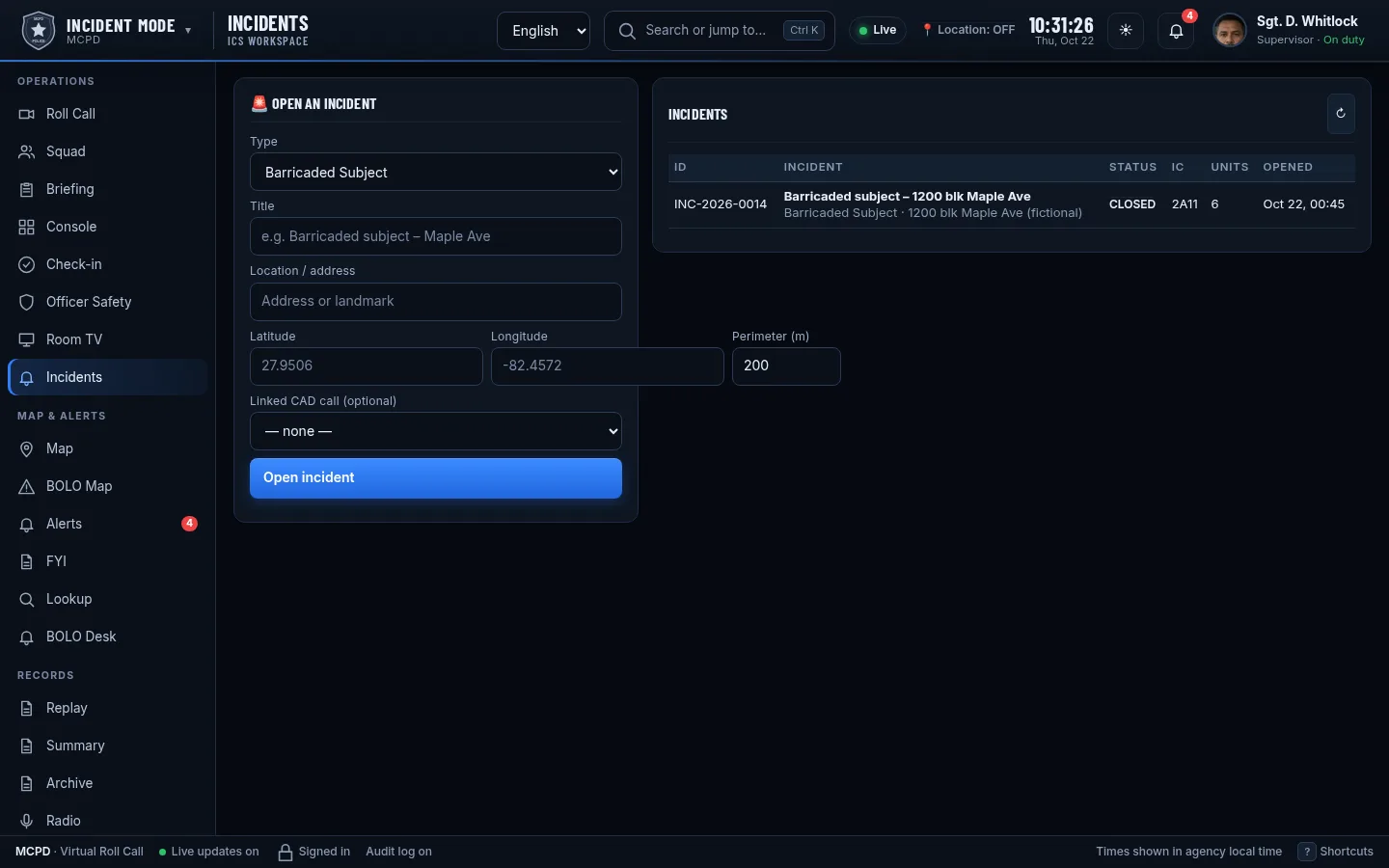
Pick a type such as barricaded subject, missing person search or planned event, set the location and perimeter, and link the CAD call if there is one.
Units and ICS roles
Assign units and give them roles like IC, Operations, Staging, Safety and PIO. Each unit card shows status, GPS and PAR.
PAR checks
Run a personnel accountability check and see who has answered, live.
Perimeter, staging and ICP map
Perimeter ring, staging area, command post, unit positions and floor plans on one map, each layer switchable.
Urgent broadcasts with acknowledgments
Send a broadcast to every unit on the incident and see who acknowledged it.
Resource requests
Units request resources such as a K-9 unit, and the request is tracked to en route and on scene.
Auto-logged timeline
Assignments, broadcasts, acknowledgments, requests and status changes are logged with times as they happen.
Wall mode, CSV and after-action PDF
Put the incident on a command-post screen, export the log, or produce an after-action PDF when it closes.
Good to know
Not a dispatch system
Command Center supports the people running an incident. It does not replace radio, CAD or 911, and nothing is written back to your CAD.
People decide
The timeline records what happened. Commanders make every decision.
Part of Roll Call
Command Center comes with Roll Call and uses the same units, maps and sign-in.