Field Training · available as a Roll Call add-on

Field training without the paper chase

From the first DOR to release, in one place.

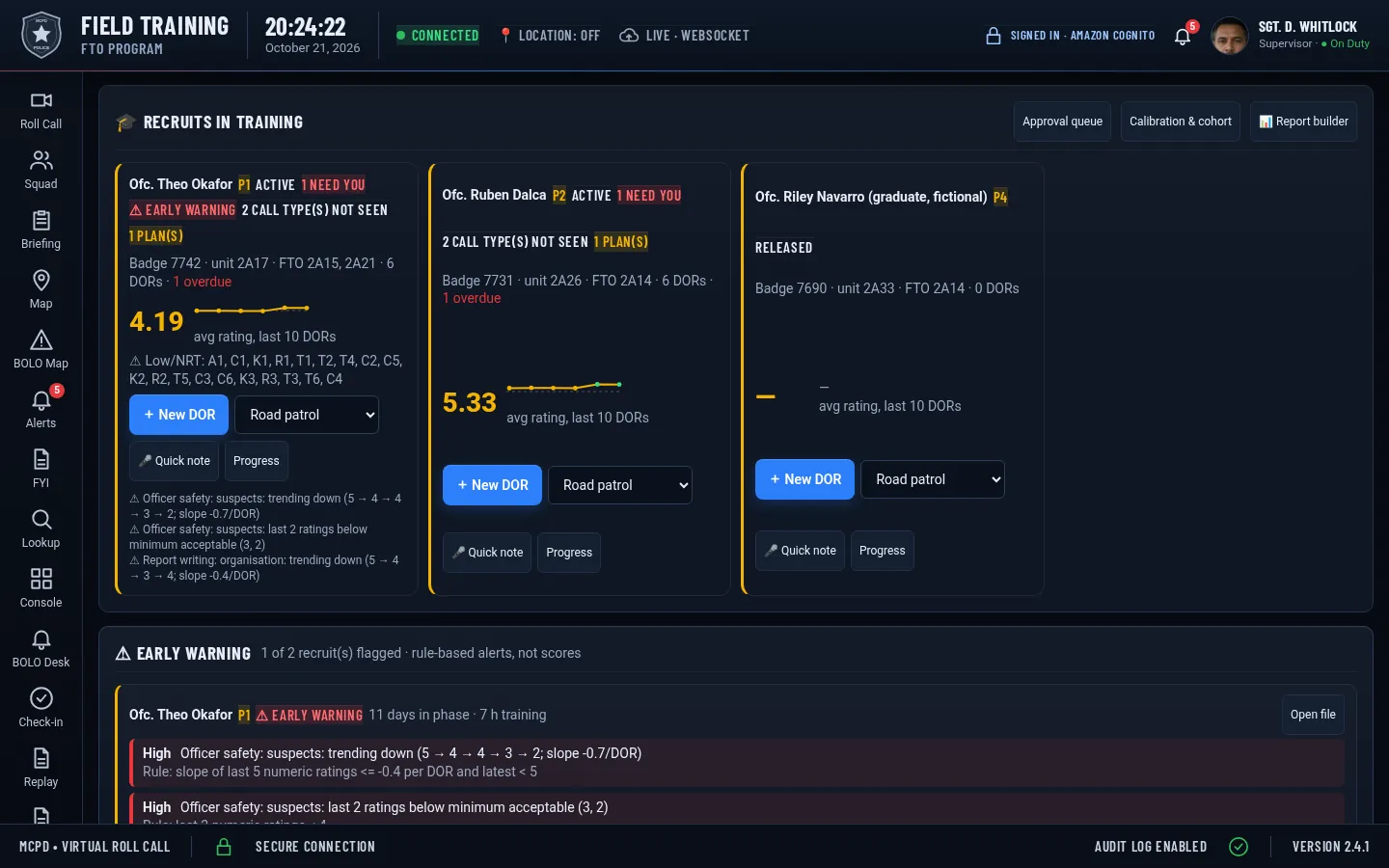
Daily Observation Reports built on the San Jose Model, a sergeant approval queue with signatures, recruit files that build themselves, and a report builder that answers plain-English questions about your program.

Live demo: signs you in to a fictional agency. Demo mode, fictional data, resets nightly.

Runs in the browser on laptops, tablets and phones · Sign in · All screenshots show a fictional demo agency.

Field Training dashboard
Latest

Command board, performance tracking and more

Seven new tools for running the program. All shown with fictional demo data. Click to enlarge.
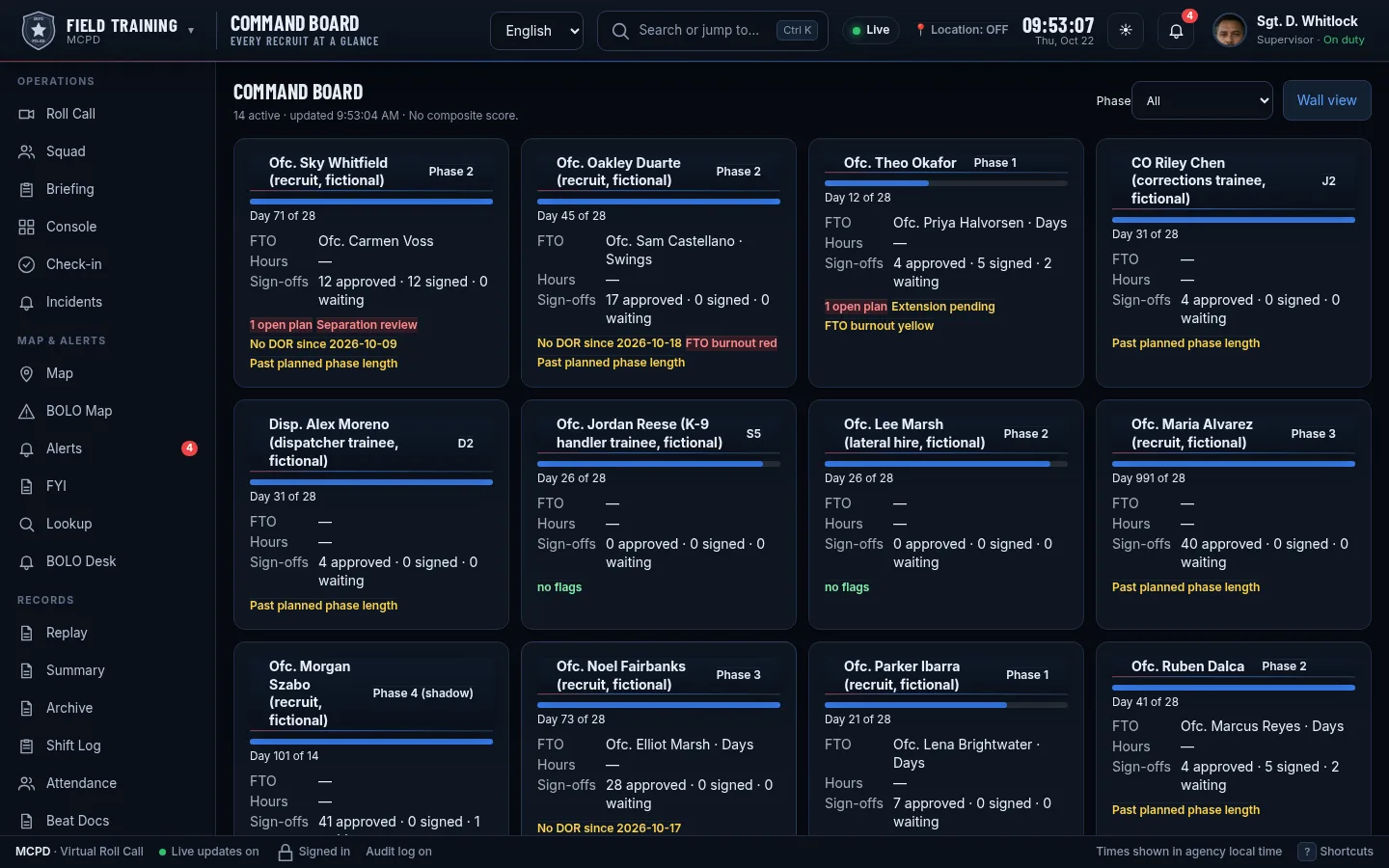
Command board (fictional demo data)

Command board

One board for every recruit in the program: phase, FTO, days in phase, open items and who needs attention. A wall view fits a briefing-room screen.

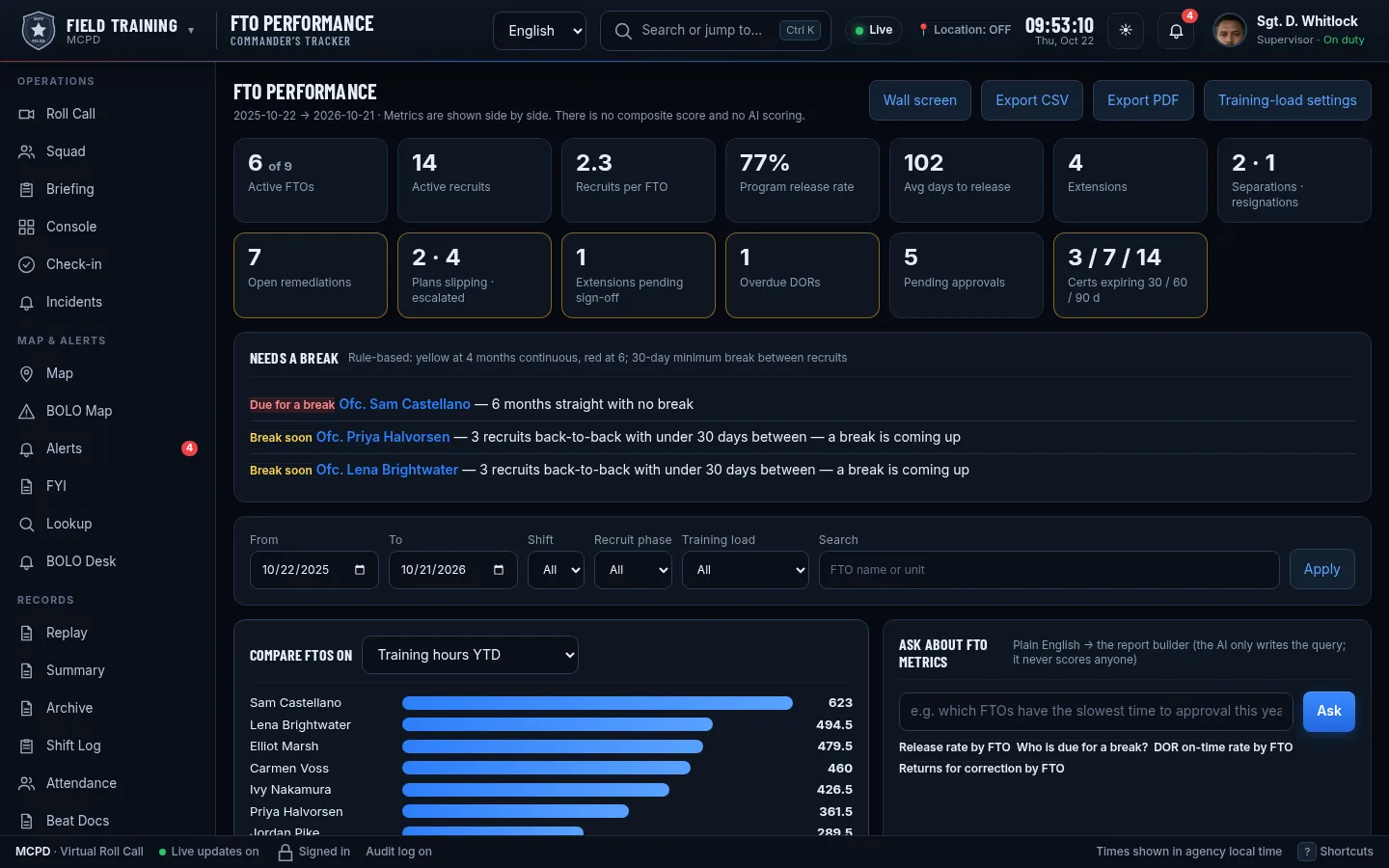
Performance tracker with burnout watch (fictional demo data)

Performance tracker with burnout watch

Approved ratings by category, phase and FTO, side by side, plus a burnout watch that shows FTO workload: recruits carried, DORs written and days without a break. Descriptive only, with no composite score.

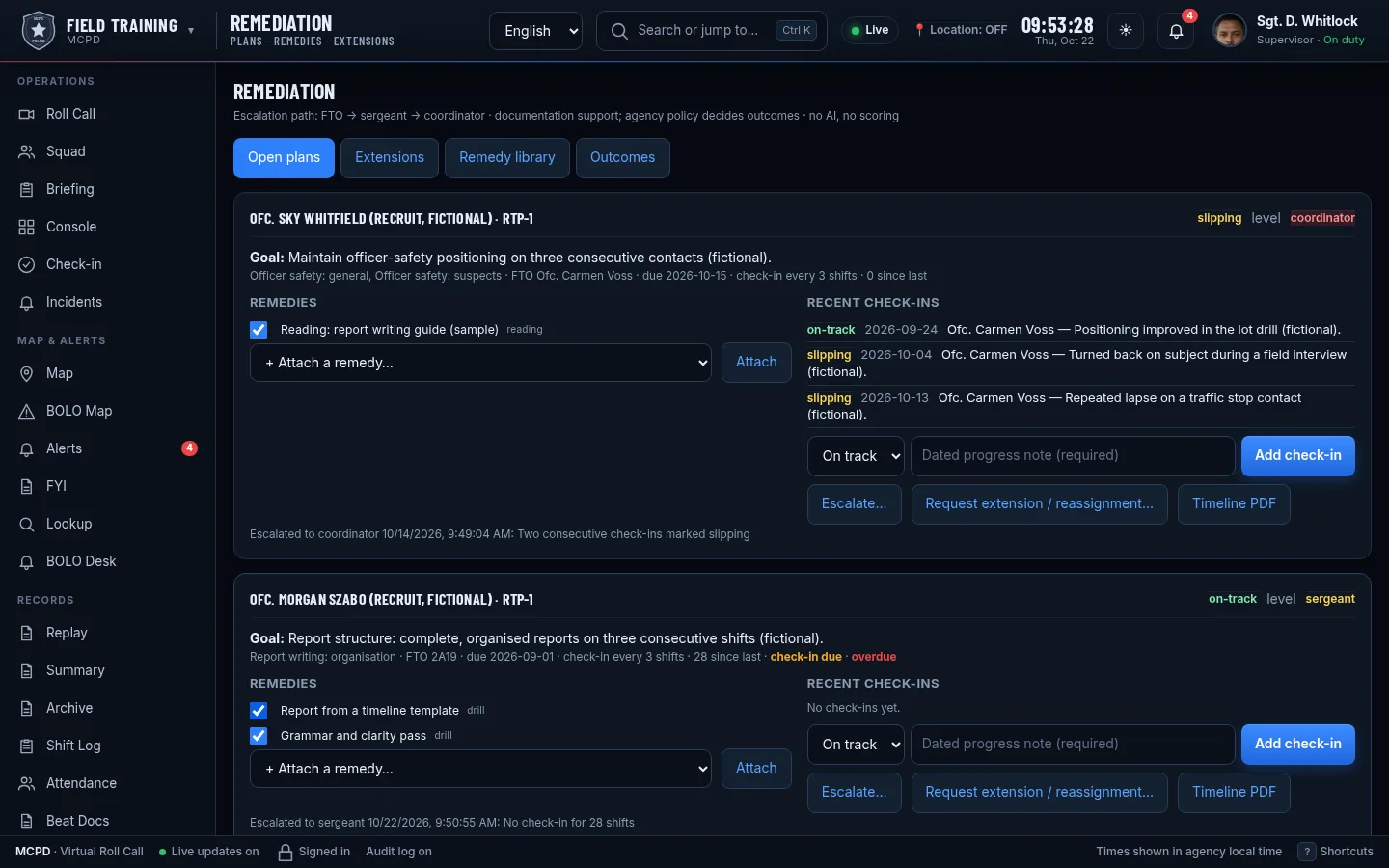
Remediation workflow (fictional demo data)

Remediation workflow

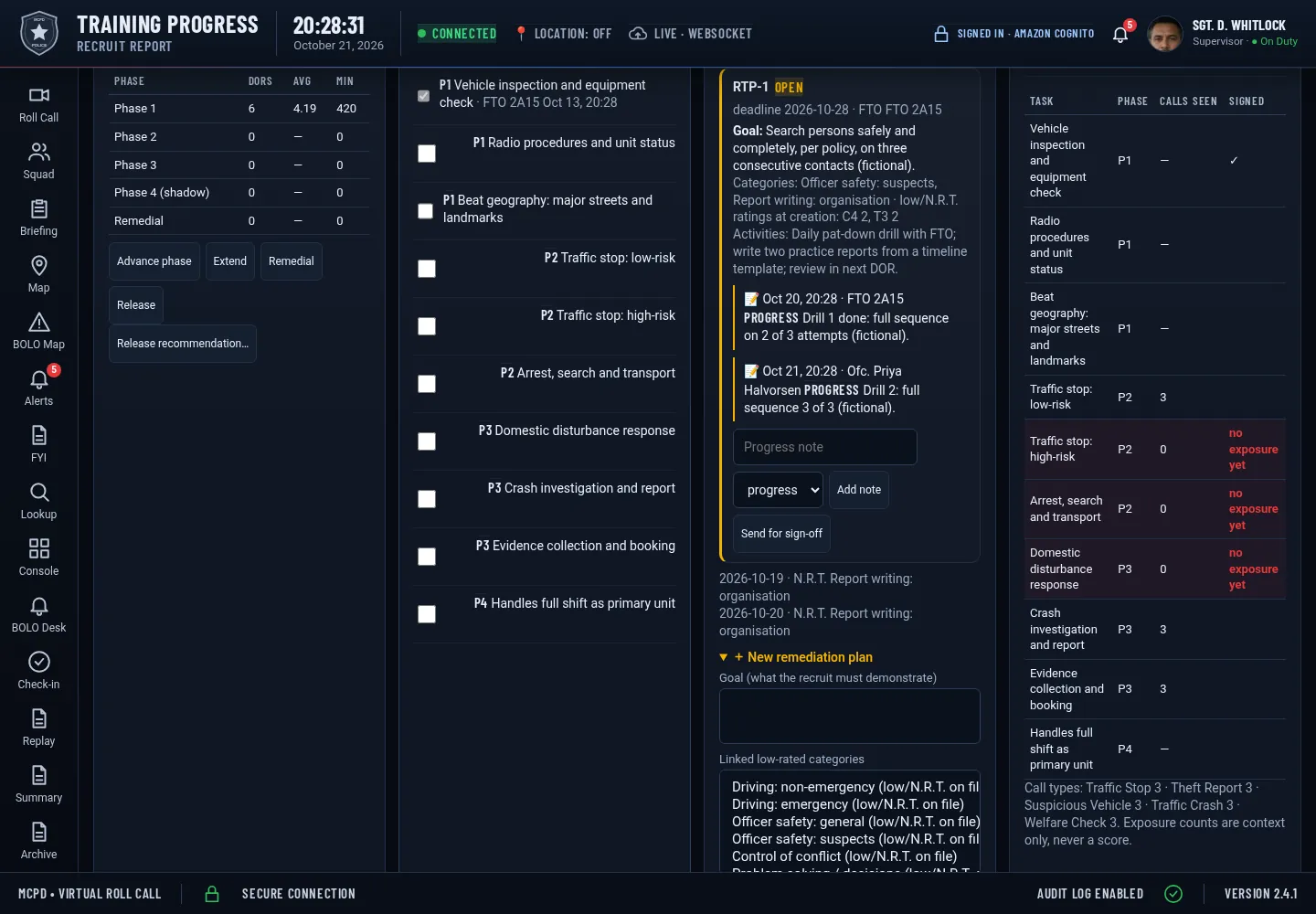
Remedial training plans with goals, notes after each shift, extensions and outcomes, all tied to the recruit file.

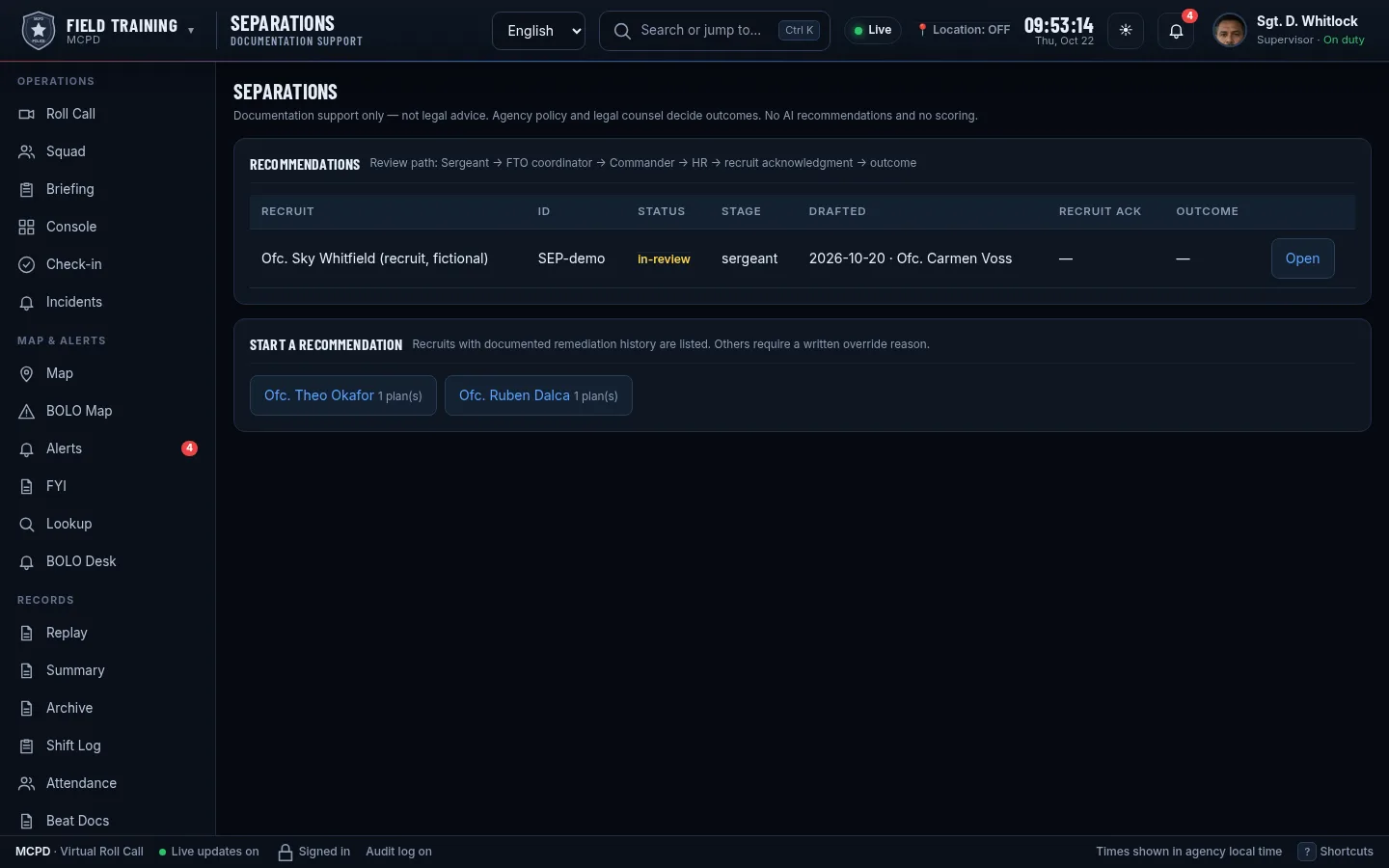
Separation workflow (fictional demo data)

Separation workflow

When remediation doesn’t work: a documented review that routes through sergeant, lieutenant and command, with every step recorded. People make the decision.

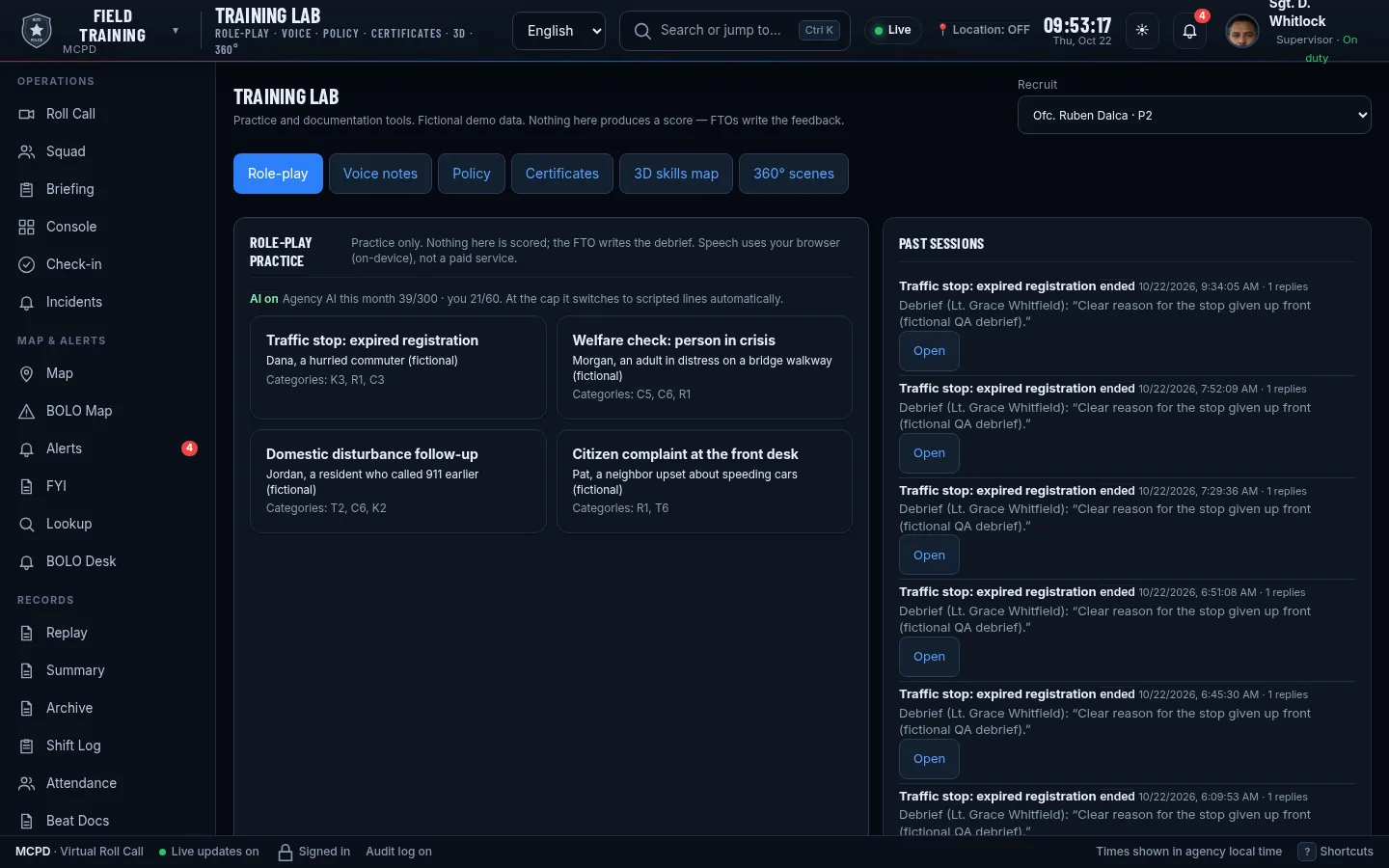
Training Lab (fictional demo data)

Training Lab

Role-play scenarios, voice notes linked to policy sections, skills practice and 360° scene walk-throughs.

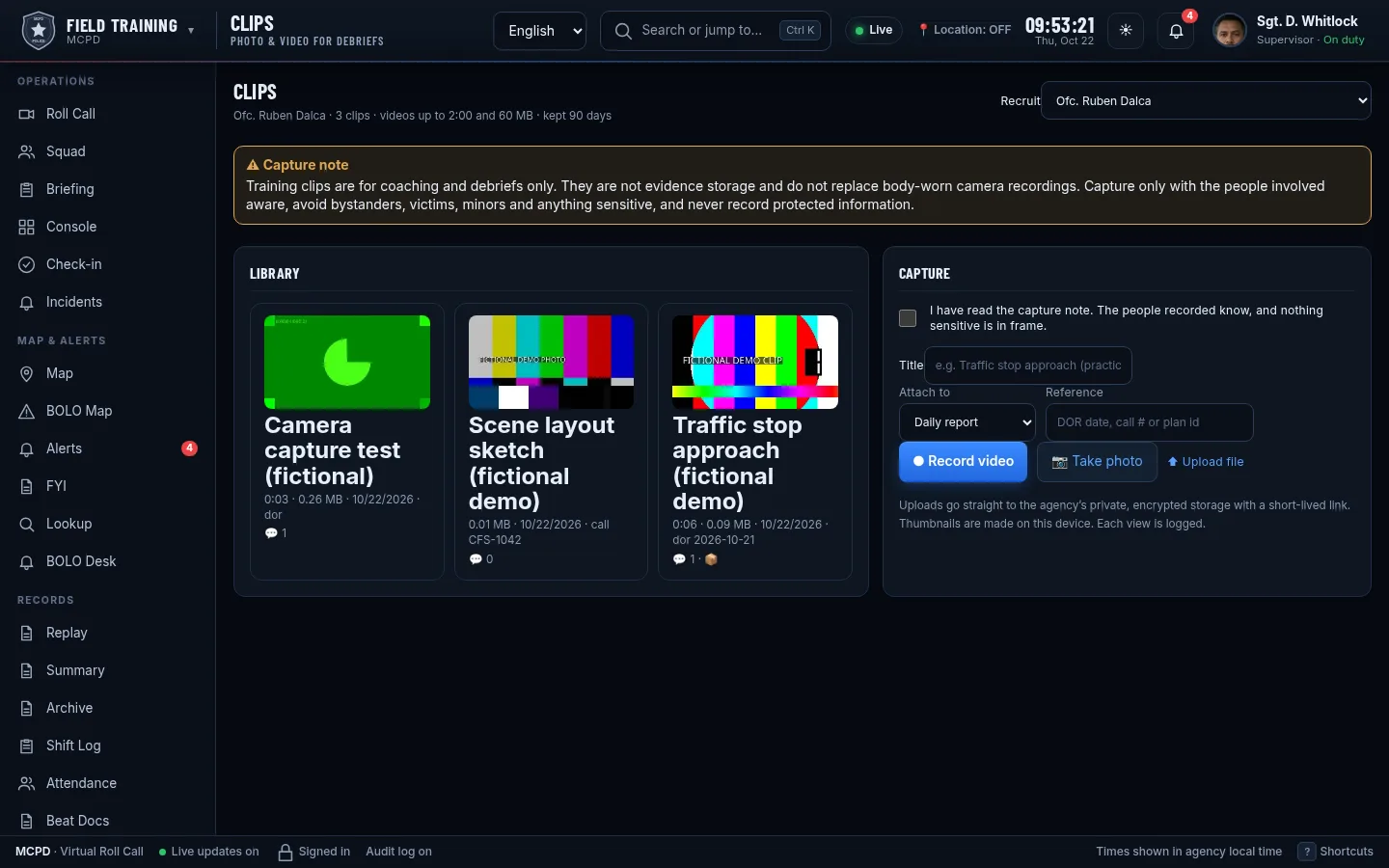
Clips (fictional demo data)

Clips

Short training video clips attached to a recruit, with time-stamped comments from FTOs. Storage limits are set per agency.

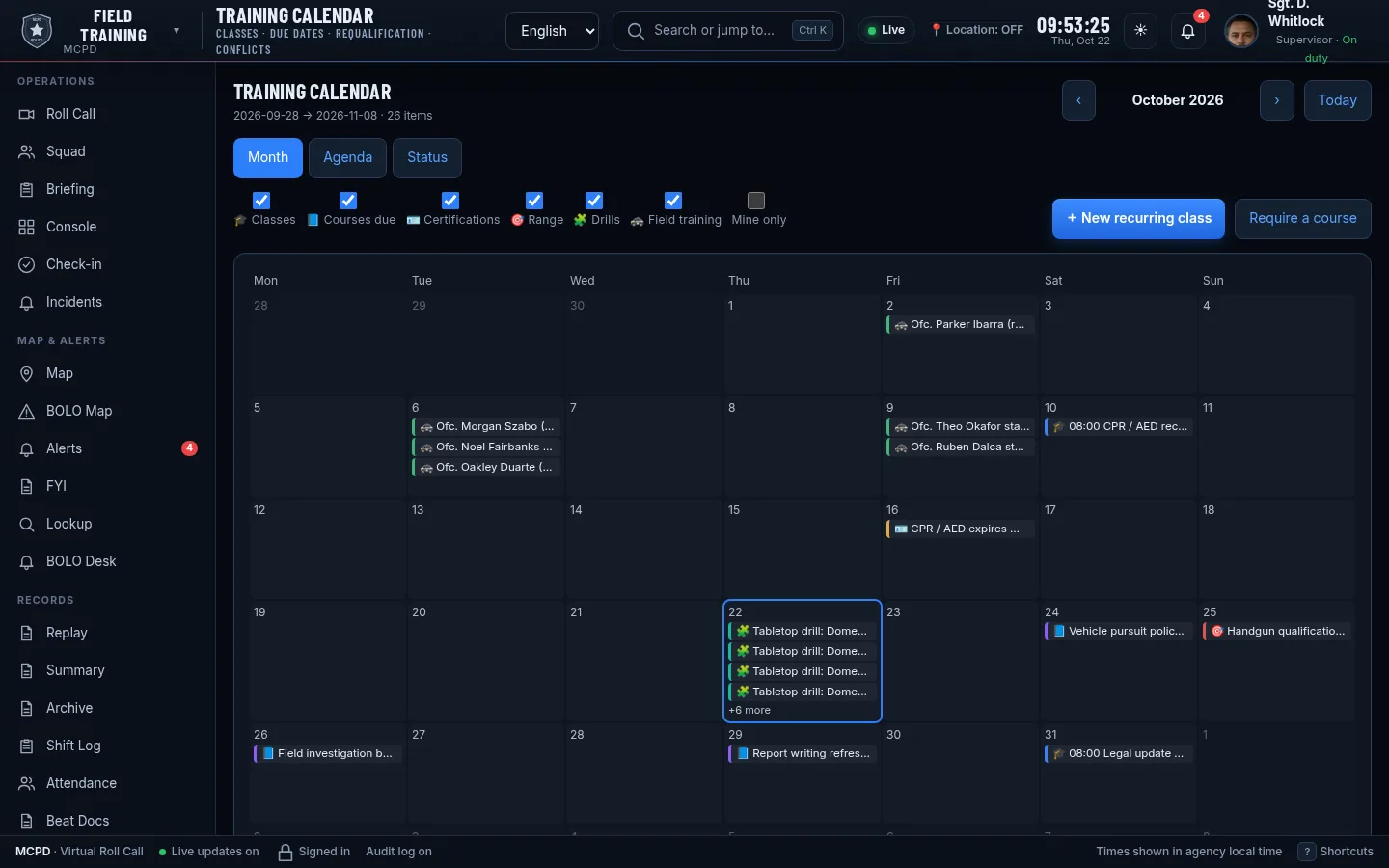
Training calendar (fictional demo data)

Training calendar

Classes, due dates and requalifications on one calendar, with conflict warnings, agenda view and officer view.

Four pillars

Integrations, documentation, approval and reporting

Click any screenshot to enlarge.

Pillar

Integrations

Pull the facts in instead of retyping them.

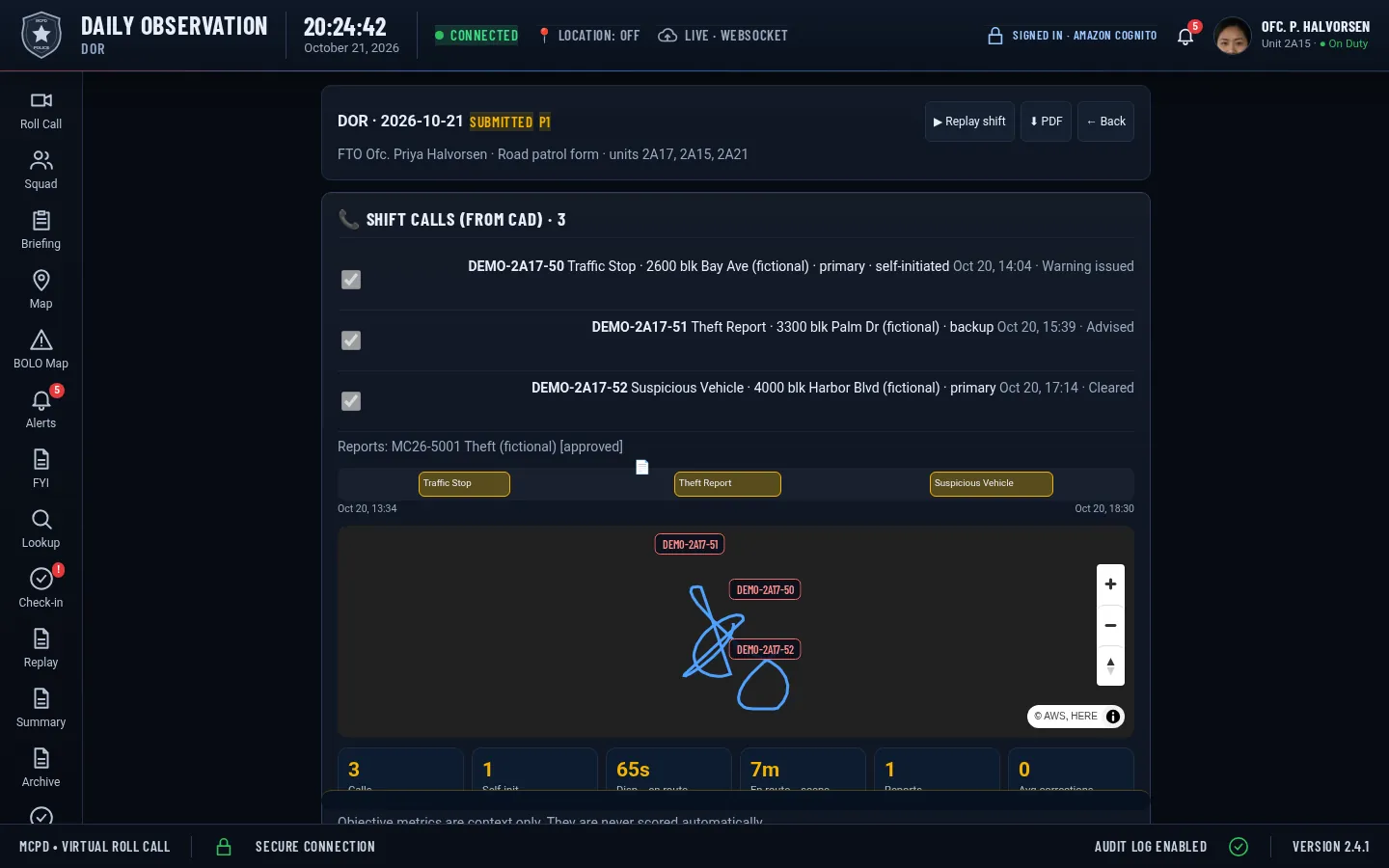
  • CAD calls attach to the DOR with dispatch, en-route, on-scene and clear times. The CAD connector was tested with sample data in the formats of eight major vendors.
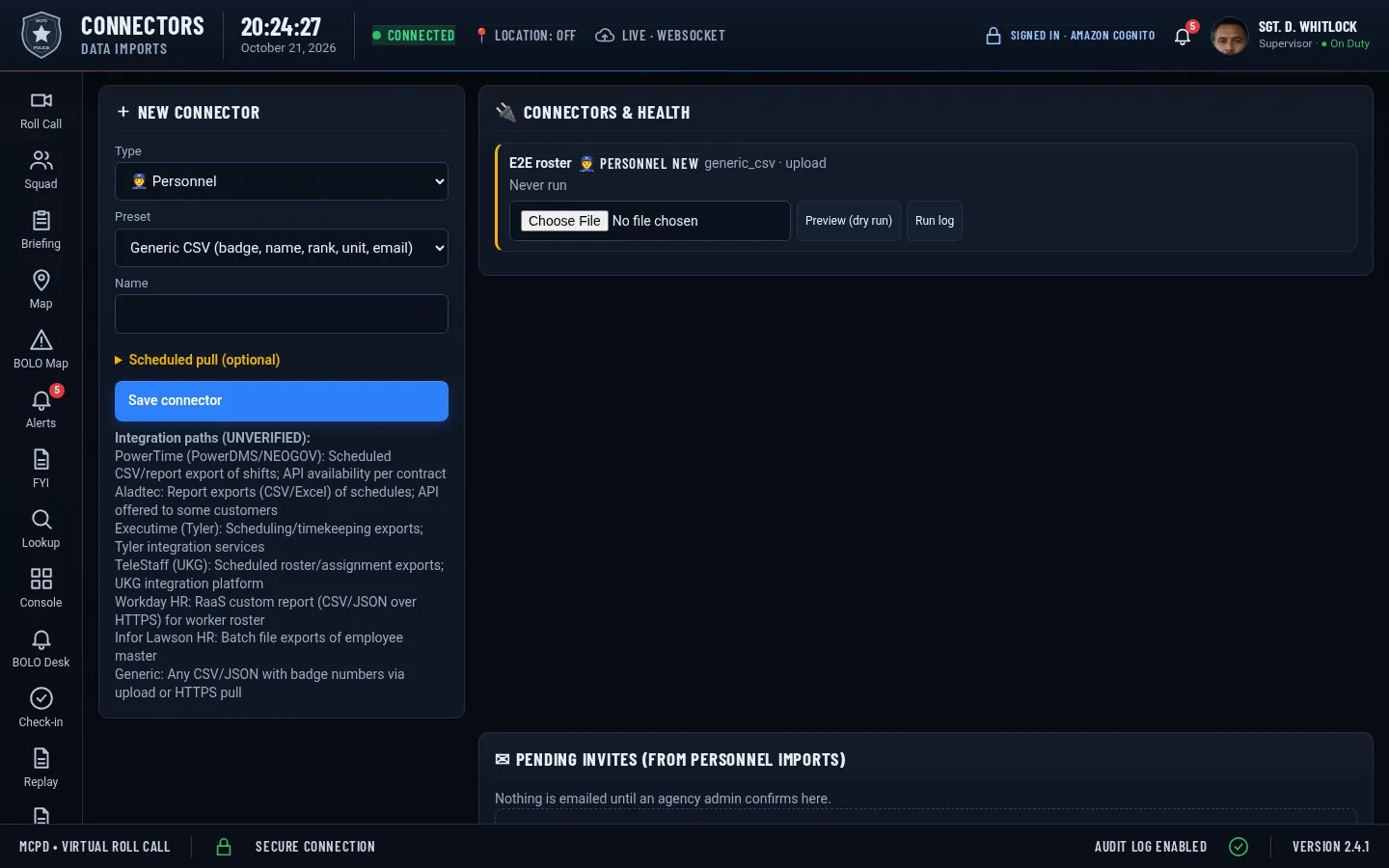
  • Personnel, training and scheduling imports through connectors (CSV, scheduled pulls or webhooks)
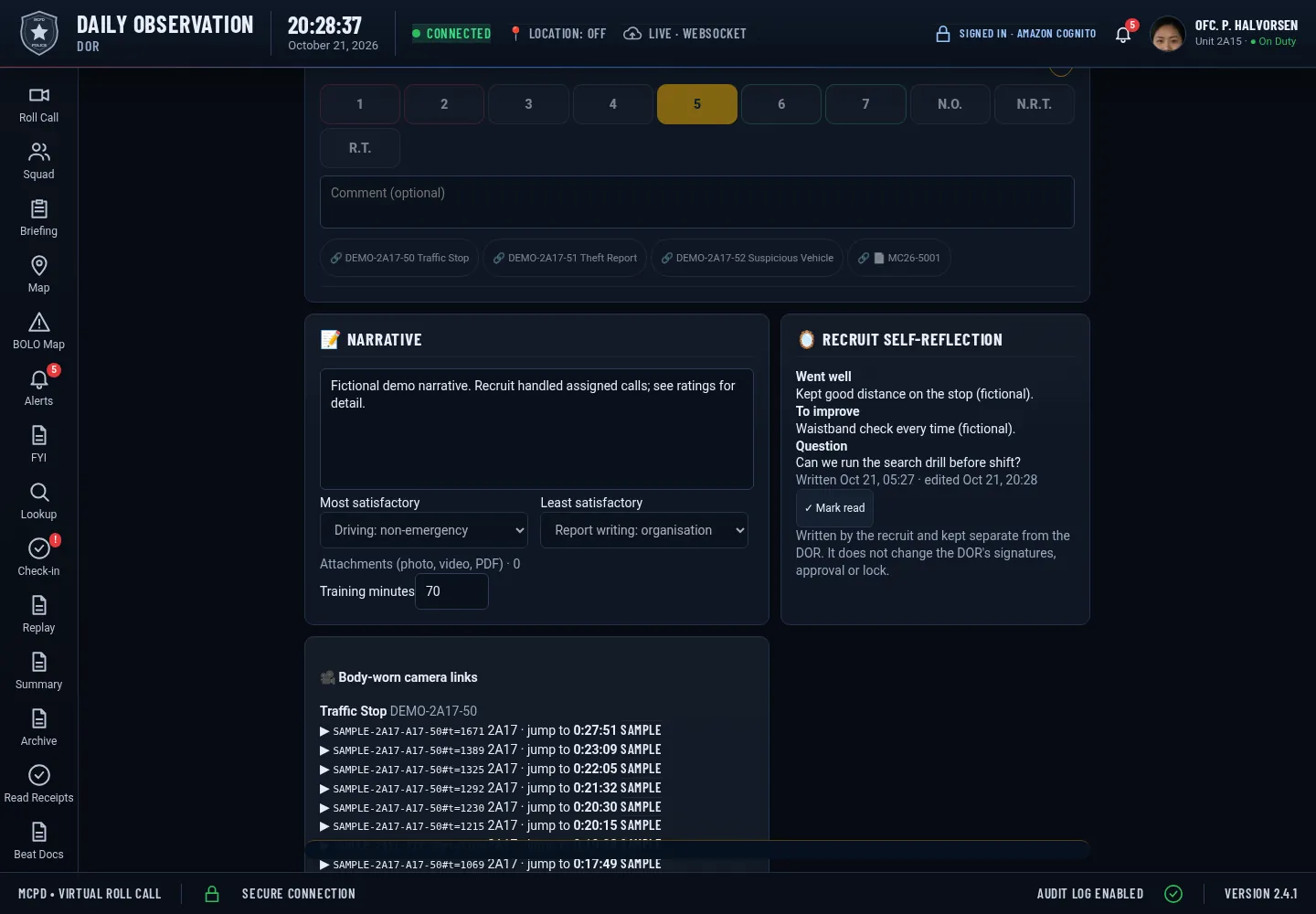
  • Body-worn camera timestamp links through a generic Axon-style connector (sample data; not a certified vendor integration)
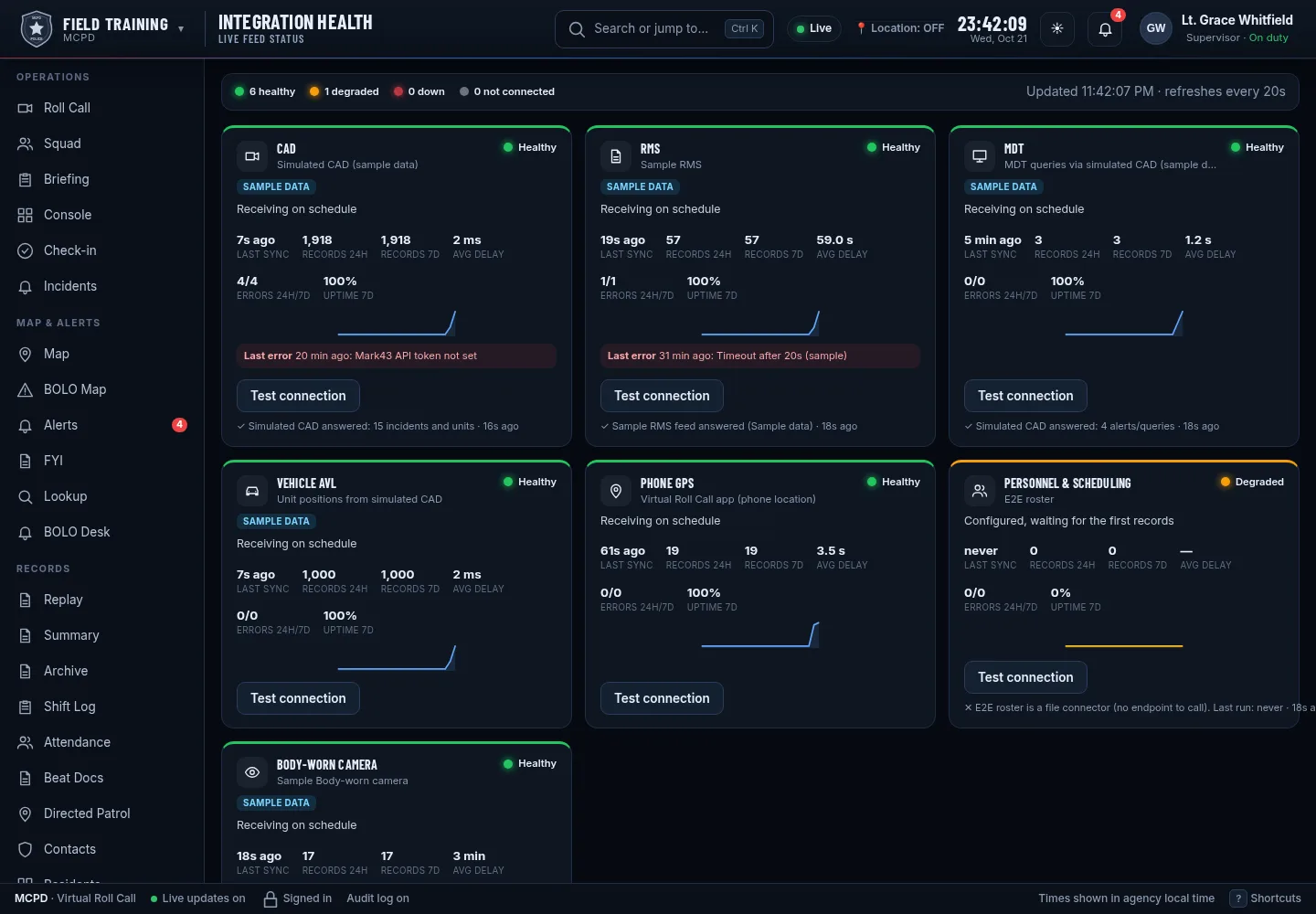
  • Integration Health board: status, last sync, record counts, errors, delay and uptime for each feed, plus a real Test connection button
Connectors and import healthBody-camera links on a DORCAD calls on the ride-along mapIntegration Health in the FTO app (sample data)
Pillar

Documentation

Daily Observation Reports that are quick to write and hard to dispute.

  • San Jose Model daily observation report (DOR): standard categories, 1–7 ratings, Not responding to training (N.R.T.) and Not observed (N.O.), most and least satisfactory, narrative
  • Typed-name signatures for FTO and recruit, recruit comments and rebuttals, addenda after signing
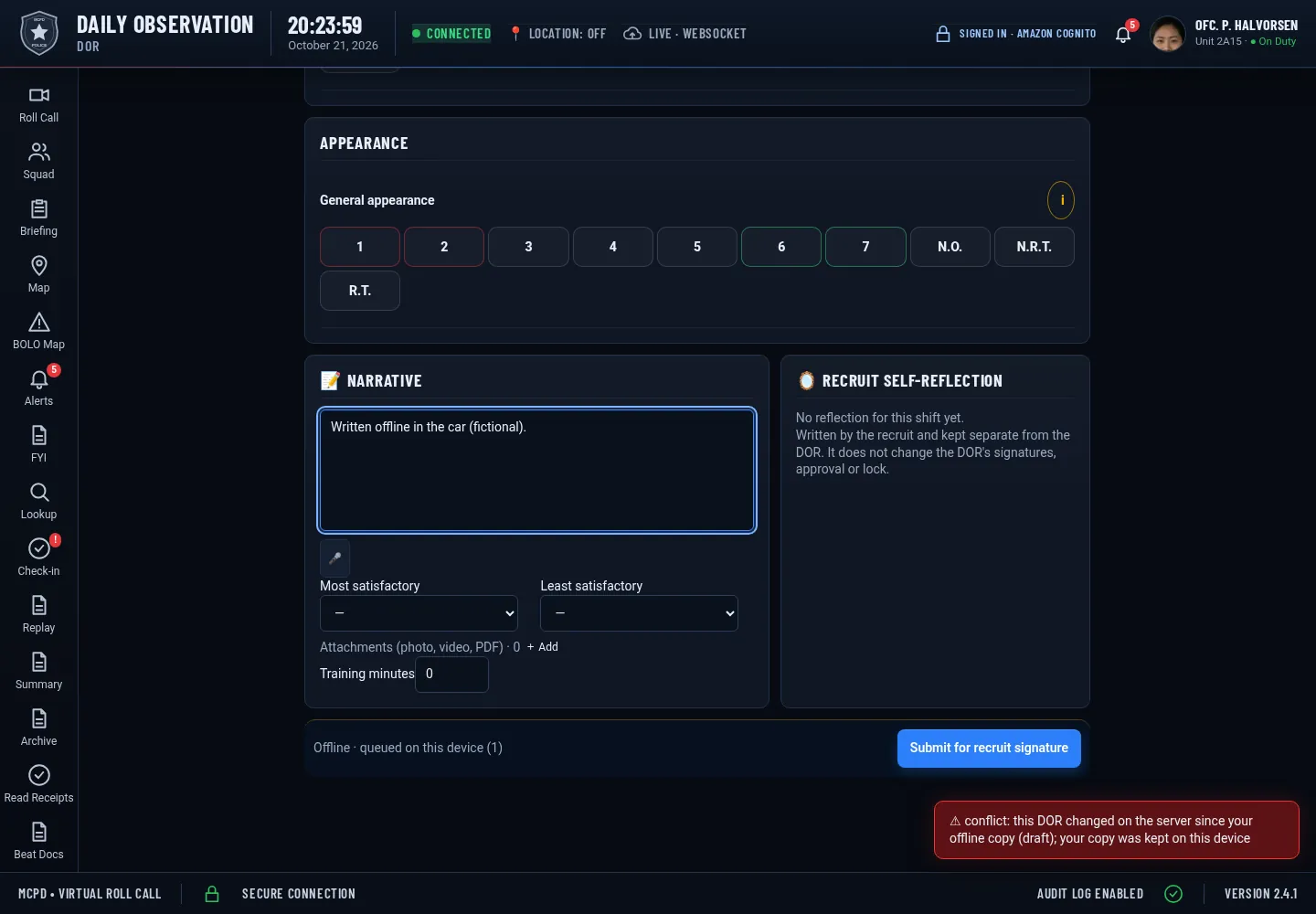
  • Drafts save on the device and sync when the connection comes back
Daily Observation ReportRecruit self-reflection beside the DOROffline draft with a conflict warning
Pillar

Approval queue

Sergeants see what needs them, and nothing slips.

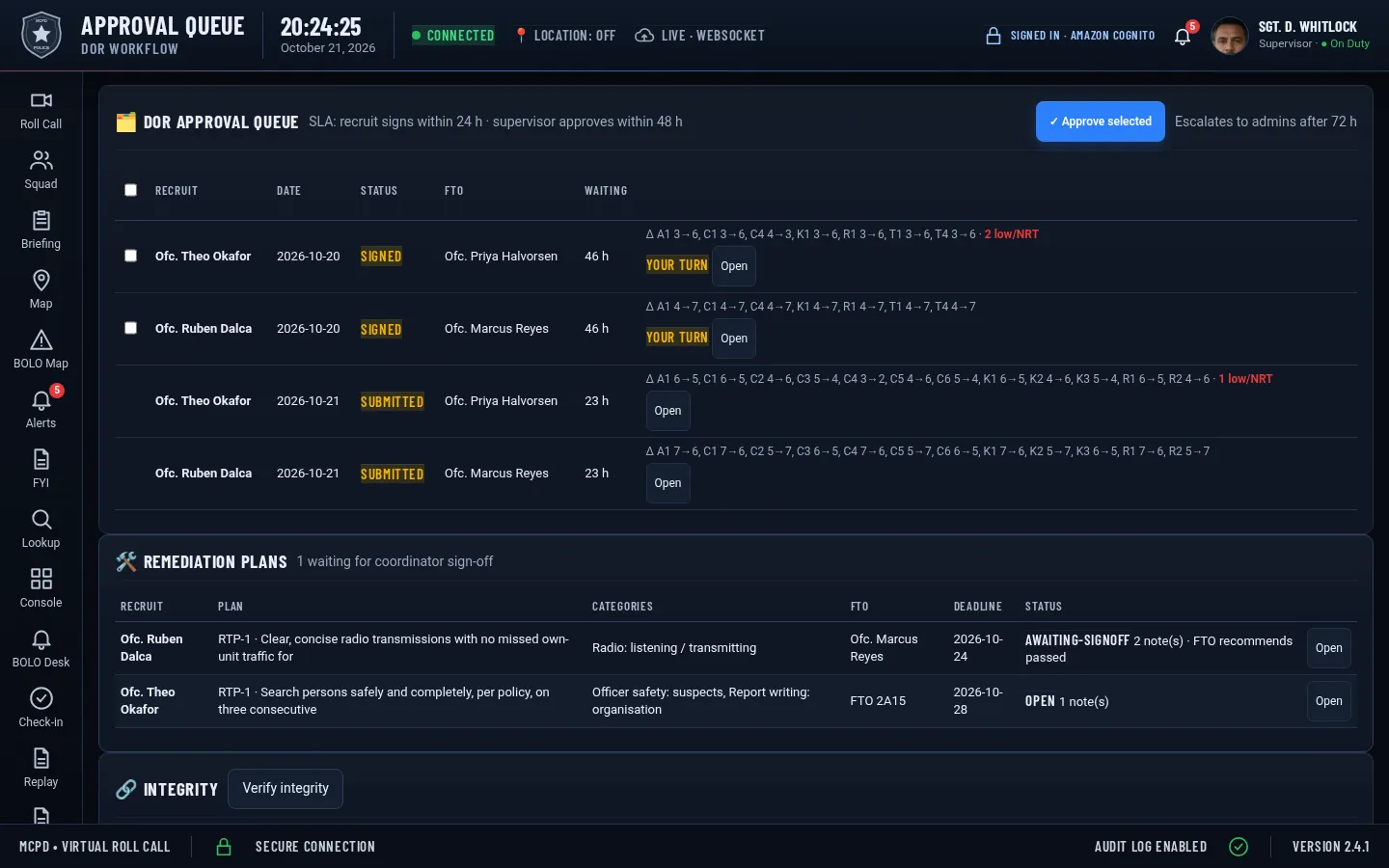
  • Queue by status with time-in-queue, return-for-correction and bulk approve
  • DORs lock when the sergeant approves; later changes are addenda
  • Coordinator sign-off for remediation plans
DOR approval queueStructured remediation planVerify integrity
Pillar

Reporting

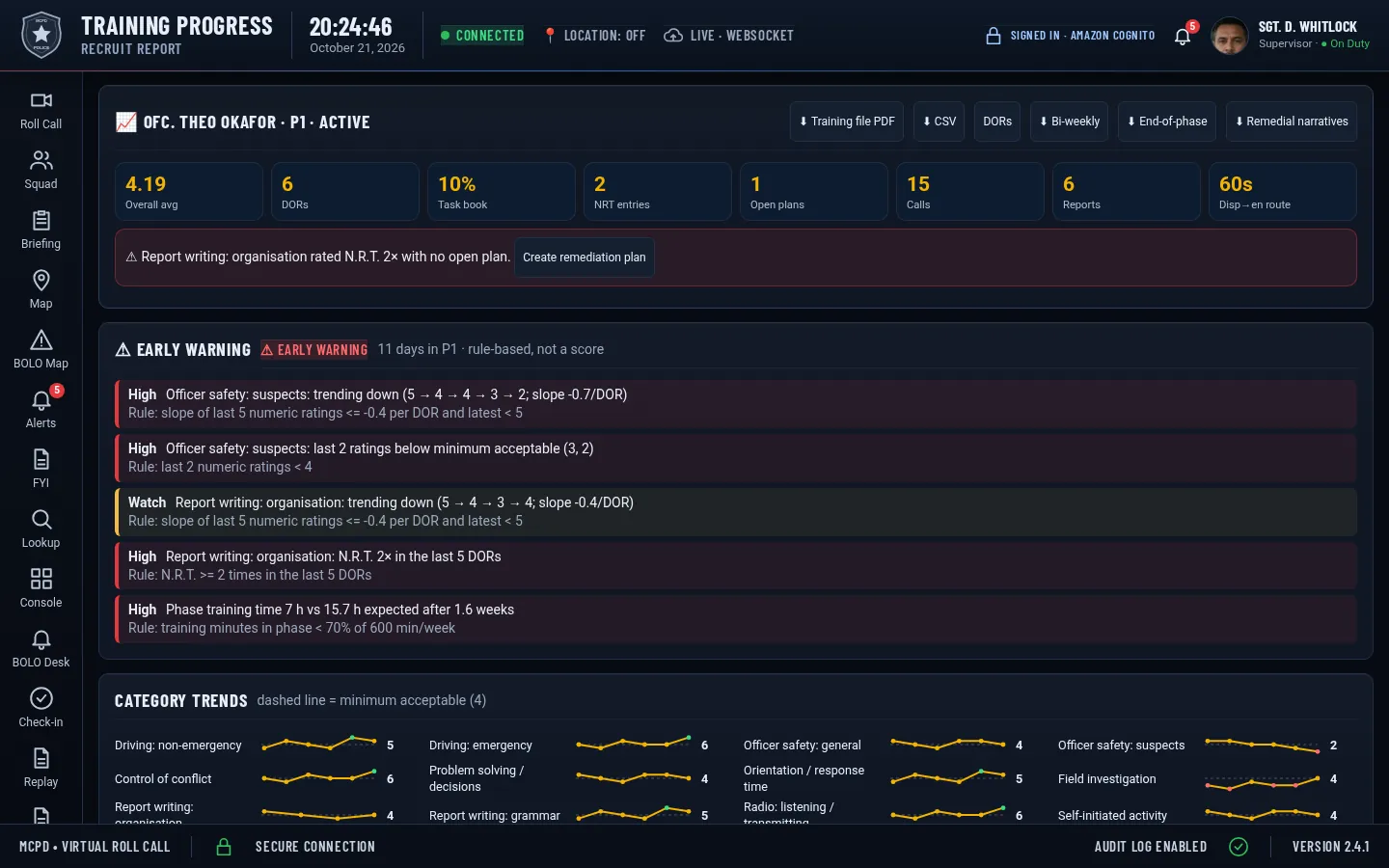
The recruit file builds itself as DORs are approved.

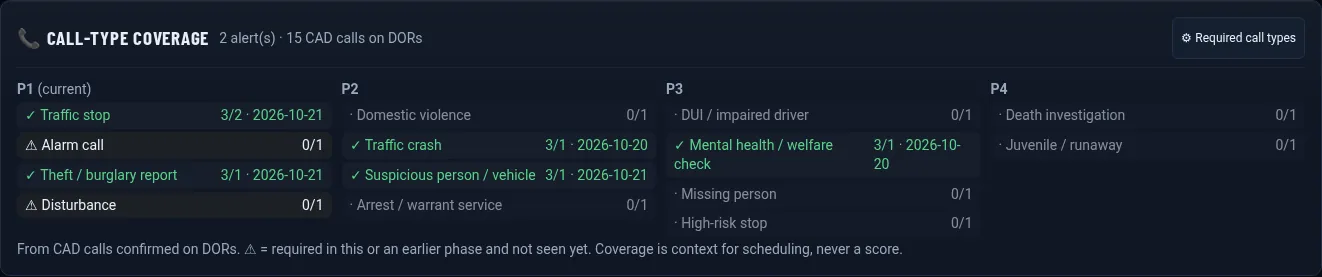
  • Progress report with category trends, task book, phase history and call-type coverage
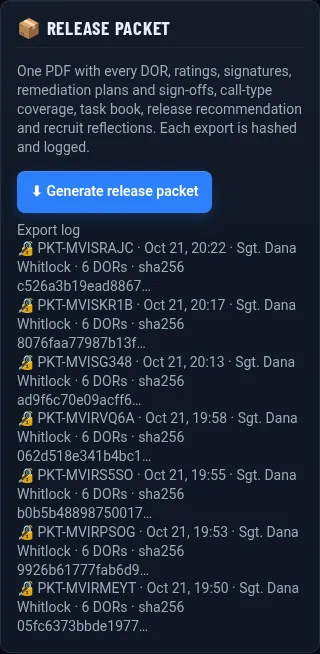
  • One-click release packet PDF, logged in the audit trail with its SHA-256 hash
  • AI report builder for plain-English questions (see below)
Recruit progress reportRelease packet export logCall-type coverage
The San Jose Model

Built around the program you already run

Standard categories

Daily Observation Reports rate the agency’s standardized evaluation categories, from officer safety to report writing, against its own guidelines.

1–7 scale with N.R.T.

Ratings from 1 (unacceptable) to 7 (superior), plus N.R.T. (not responding to training) and N.O. (not observed).

Phases and release

Phases, FTO assignments, phase checklists, task books, remediation and a release packet, with every step signed and logged.

AI report builder

Ask a question, get a report

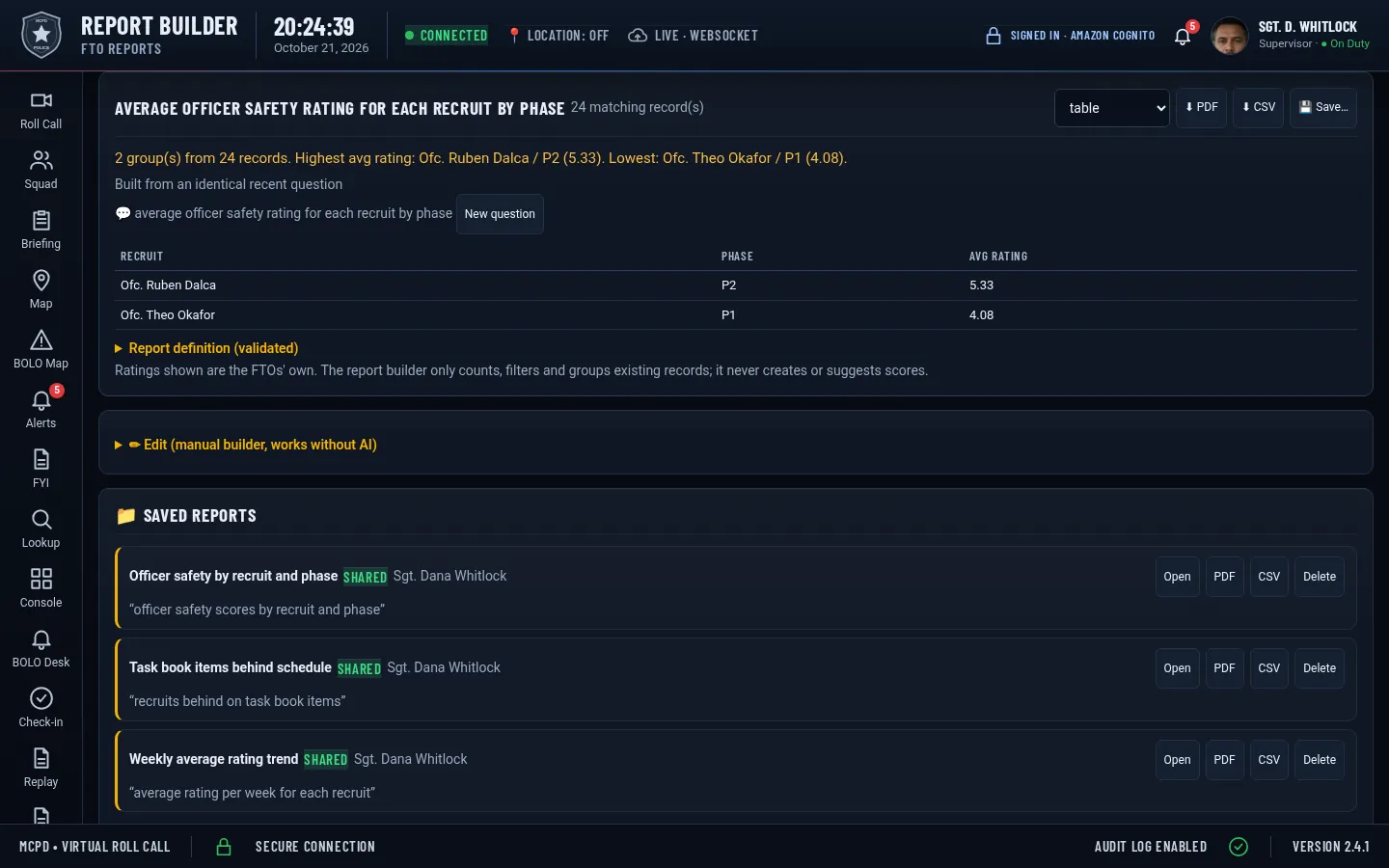
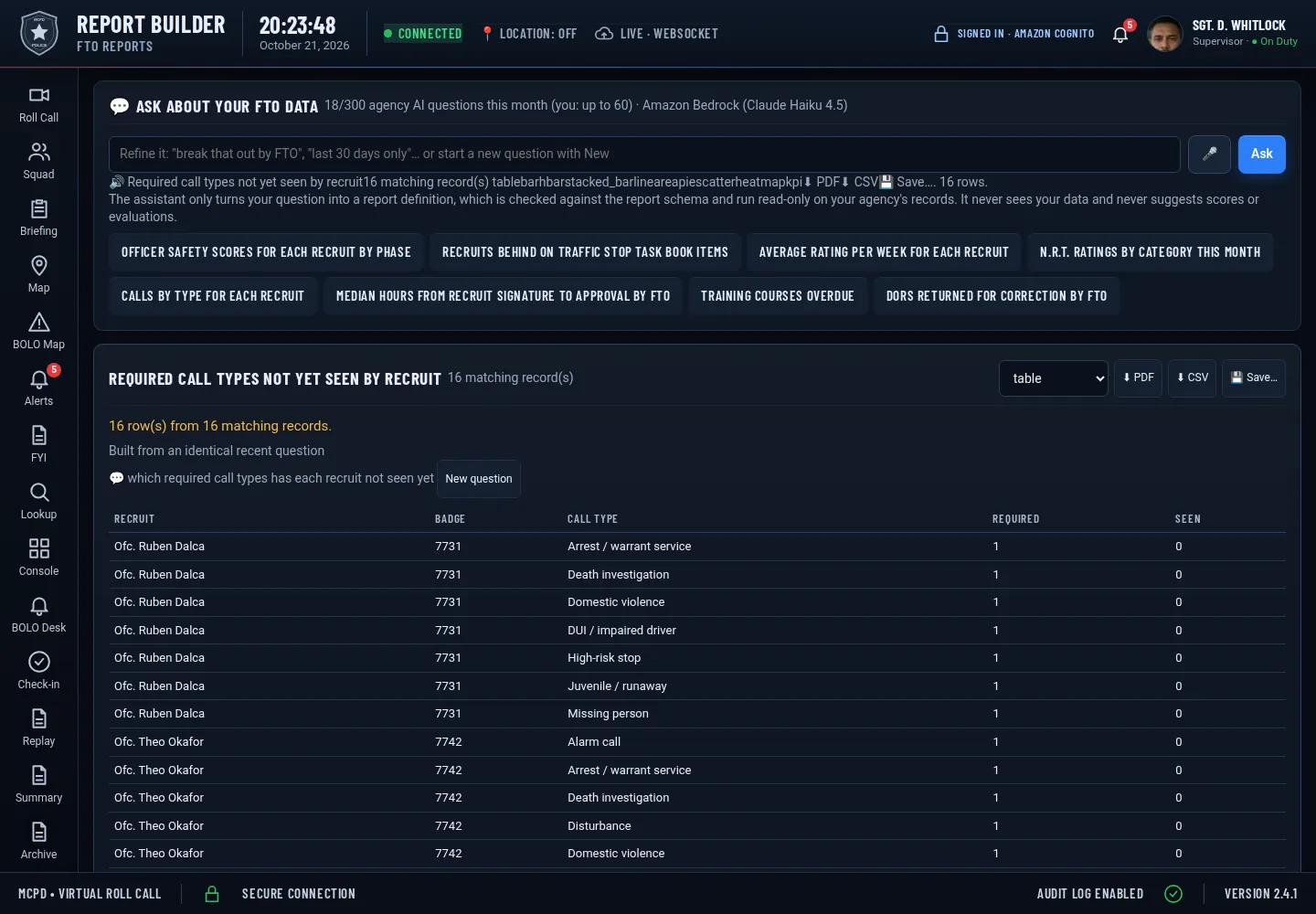
Type or say “average officer safety rating for each recruit by phase” and get a table, chart, PDF or CSV.

  • The AI only turns your question into a report definition. The numbers come from your approved records.
  • No AI scores. It never rates recruits, suggests scores or predicts outcomes, and it declines if asked.
  • No demographic reports. Topics the program doesn’t track show as “Not tracked yet” and are never estimated.
  • Monthly question caps per agency and per user; a manual builder works without AI.
Report builder answering a questionVoice ask-the-file
What’s new

18 new Field Training features

All shown with fictional demo data. Click to enlarge.

Early warning (fictional demo data)

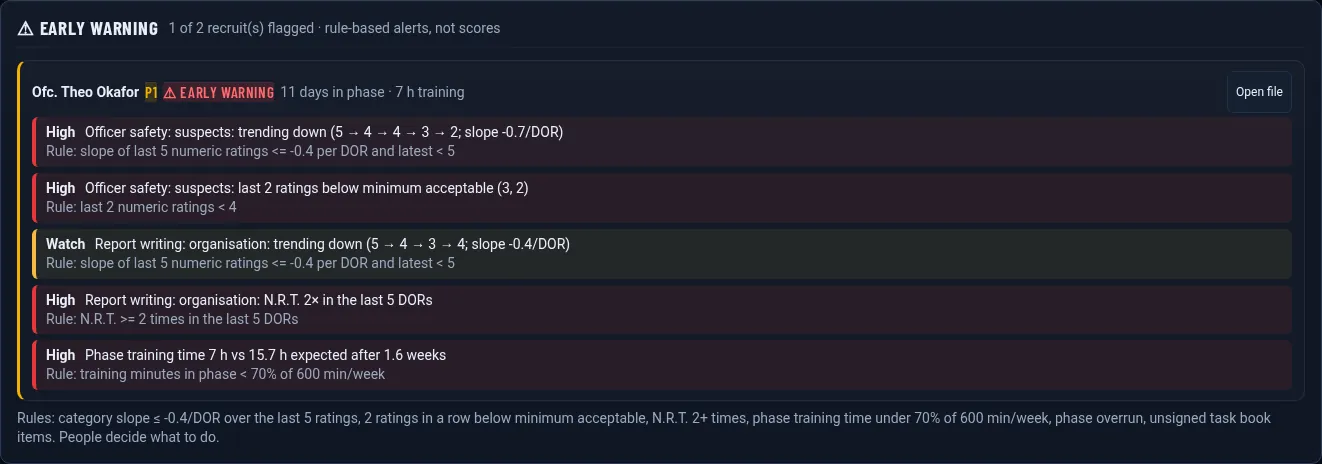
1 Early warning

Rule-based flags when a category trends down, repeated below-acceptable or N.R.T. ratings, low training hours or a phase overrun. Alerts, not scores.

Remediation plans (fictional demo data)

2 Remediation plans

Structured plans with goals, categories, deadlines, progress notes and coordinator sign-off.

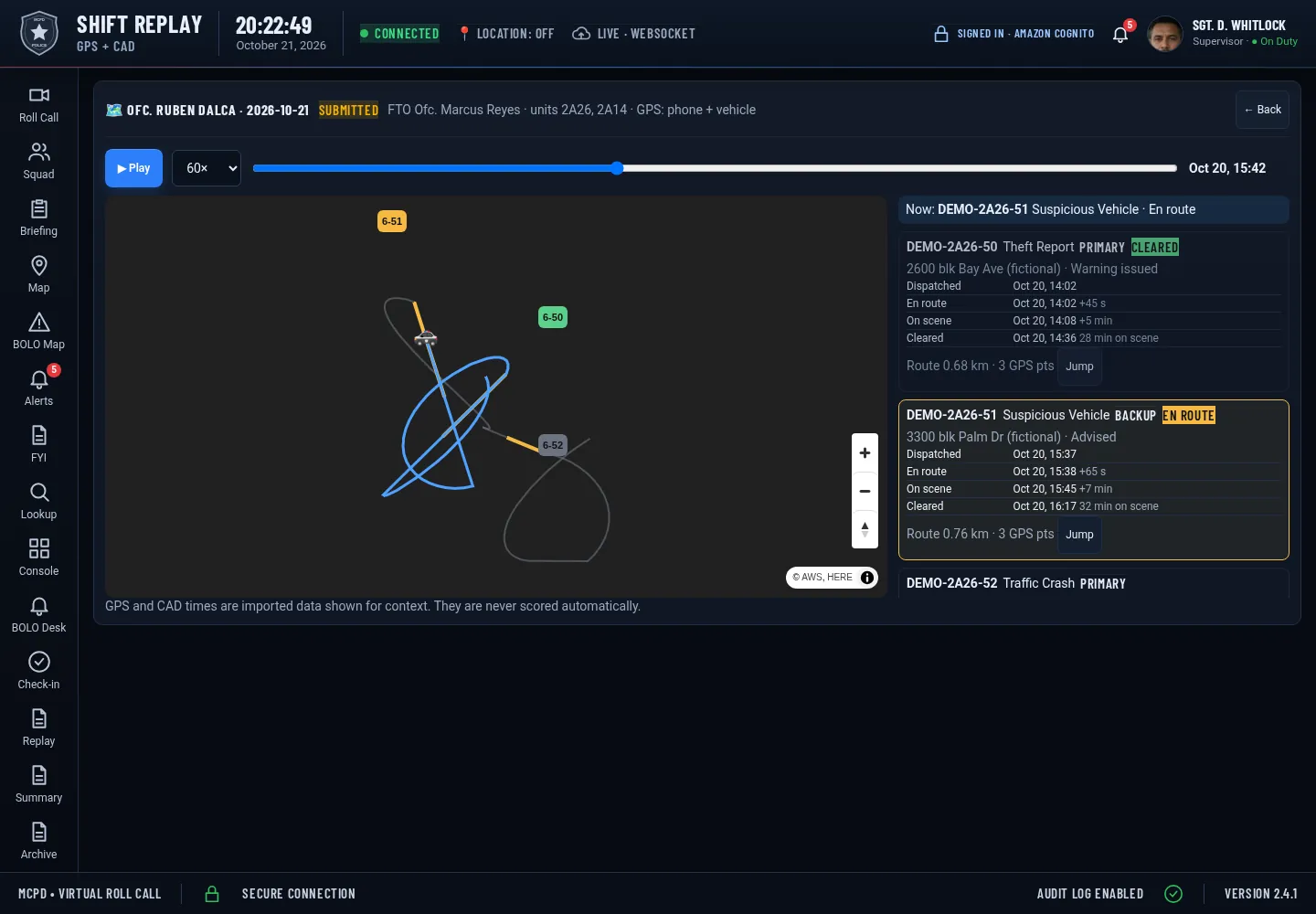
Ride-along map replay (fictional demo data)

3 Ride-along map replay

Replay the shift's GPS track with each call's dispatch, en-route, on-scene and clear times.

Recruit self-reflection (fictional demo data)

4 Recruit self-reflection

Recruits write what went well and what to improve. Reflections never change a DOR's signatures or locking.

Call-type coverage alerts (fictional demo data)

5 Call-type coverage alerts

See which required call types a recruit hasn't handled yet in each phase.

Release packet PDF (fictional demo data)

6 Release packet PDF

The whole file in one PDF, with every export recorded in the audit trail.

FTO workload balancing (fictional demo data)

7 FTO workload balancing

Recruits, DORs, hours and pending approvals per FTO, to spread the load fairly.

Pre-shift brief (fictional demo data)

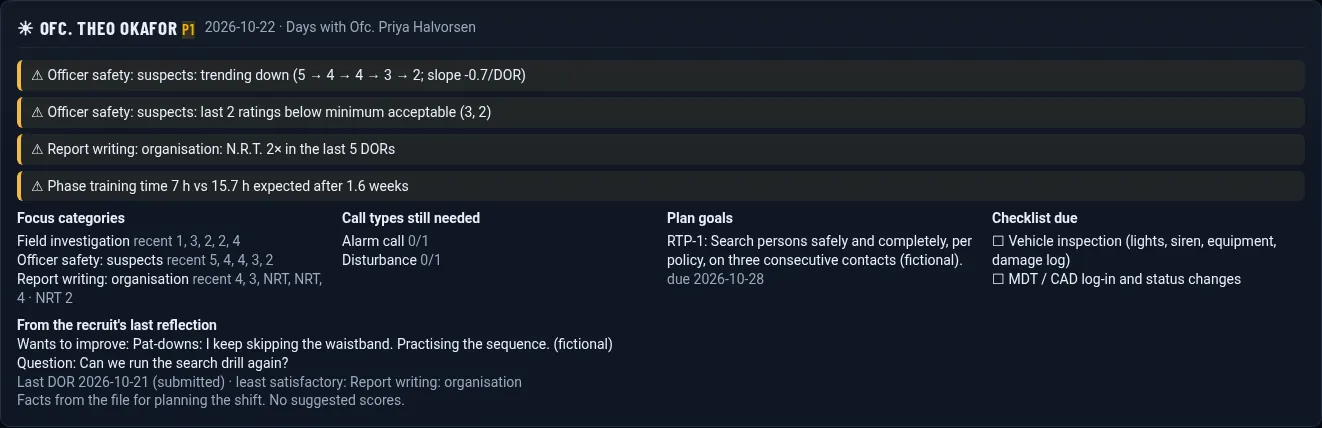
8 Pre-shift brief

Focus categories, call types still needed, plan goals and the recruit's own question, before the shift starts.

Recruit mobile view (fictional demo data)

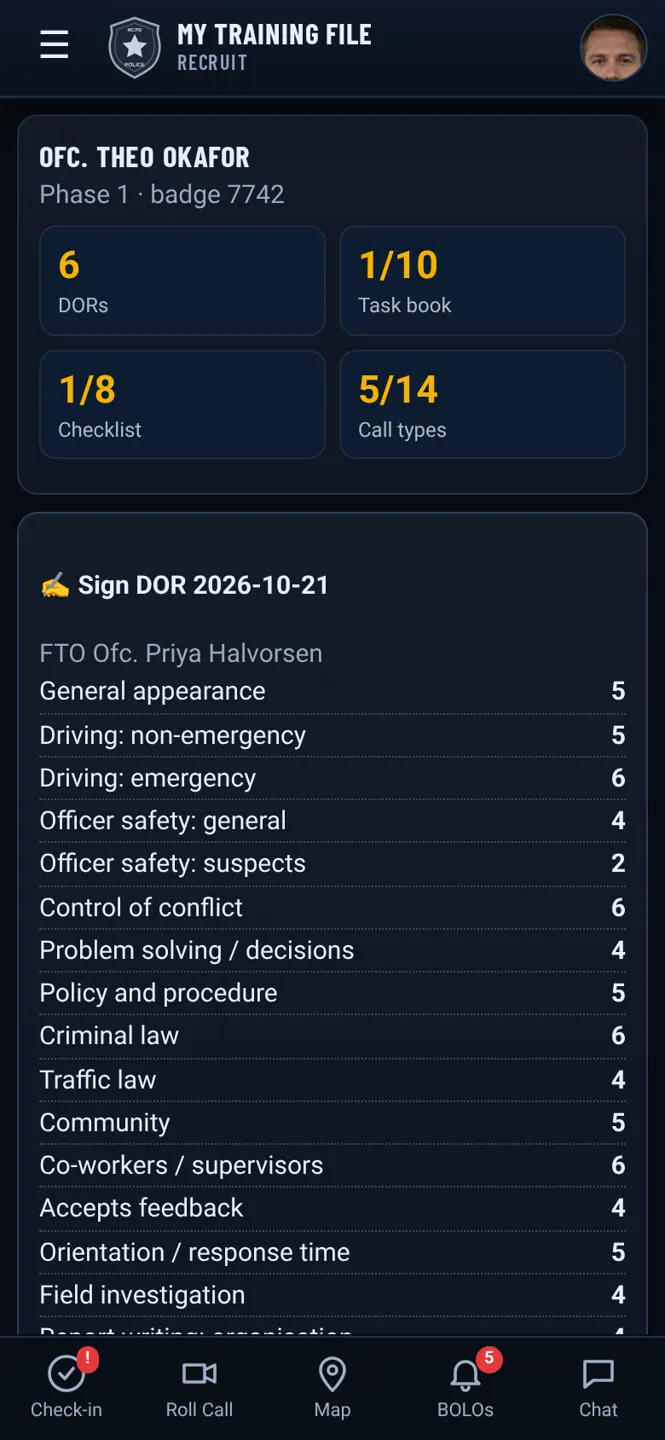
9 Recruit mobile view

Recruits read, sign or rebut DORs and write reflections from a phone.

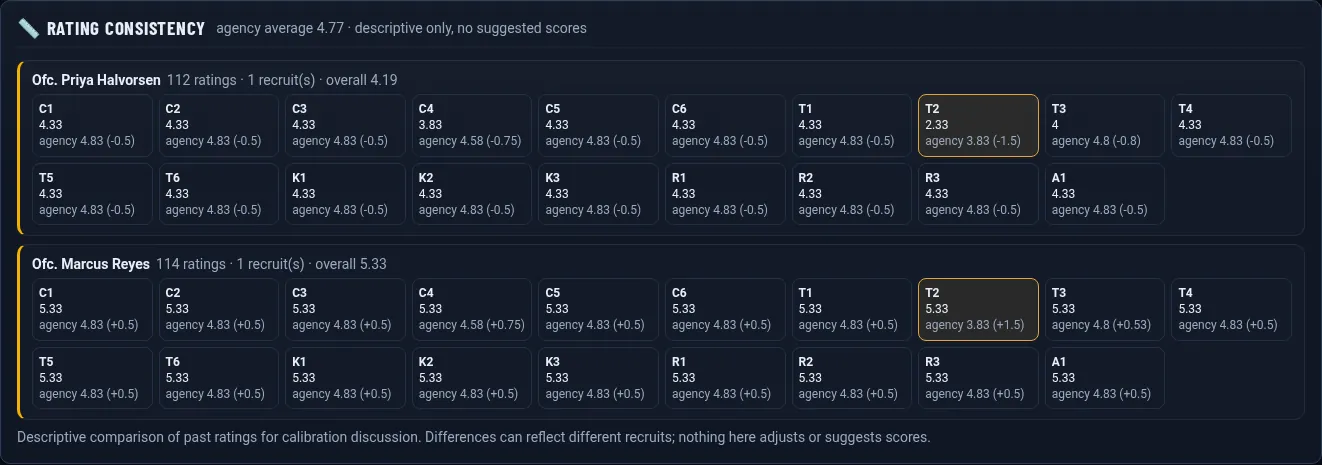
FTO rating consistency (fictional demo data)

10 FTO rating consistency

A descriptive comparison of each FTO's past ratings with the agency average, for calibration talks. No suggested scores.

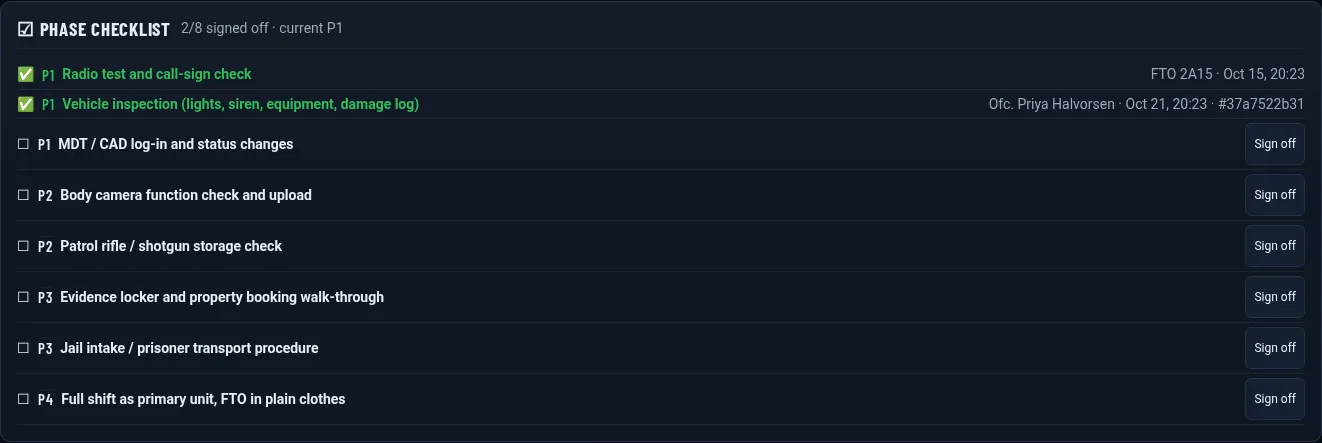
Phase checklist (fictional demo data)

11 Phase checklist

Phase-by-phase checklist items signed off by the FTO; only a supervisor can reverse one, with a reason.

Graduation & alumni tracking (fictional demo data)

12 Graduation & alumni tracking

First-year milestones and notes for released officers.

Body-camera timestamp links (fictional demo data)

13 Body-camera timestamp links

Each CAD call links to the matching clip and offset, through a generic Axon-style connector shown with sample data.

Voice ask-the-file (fictional demo data)

14 Voice ask-the-file

Ask the report builder out loud and hear the answer read back, with the same limits and the same no-scores rule.

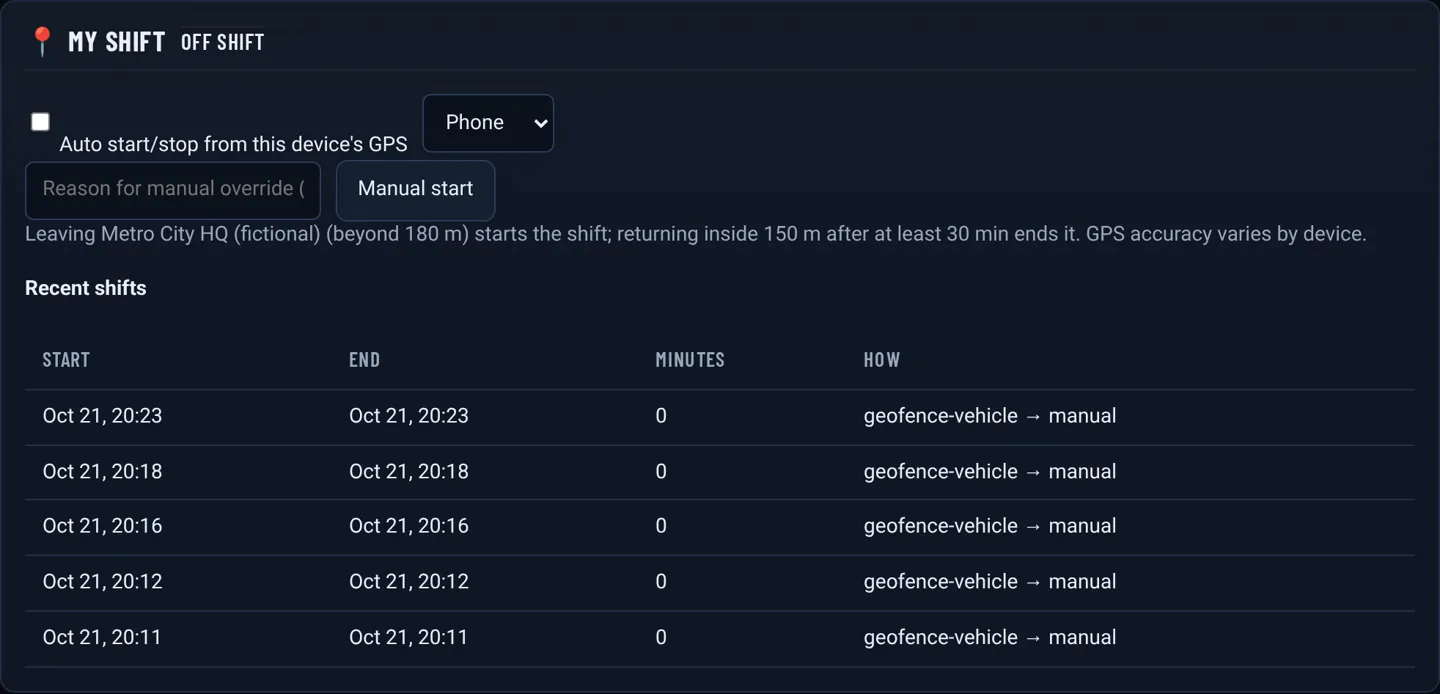
Geofenced shift start/stop (fictional demo data)

15 Geofenced shift start/stop

Shifts start when the phone or vehicle leaves the station and stop on return, with a manual override that needs a reason.

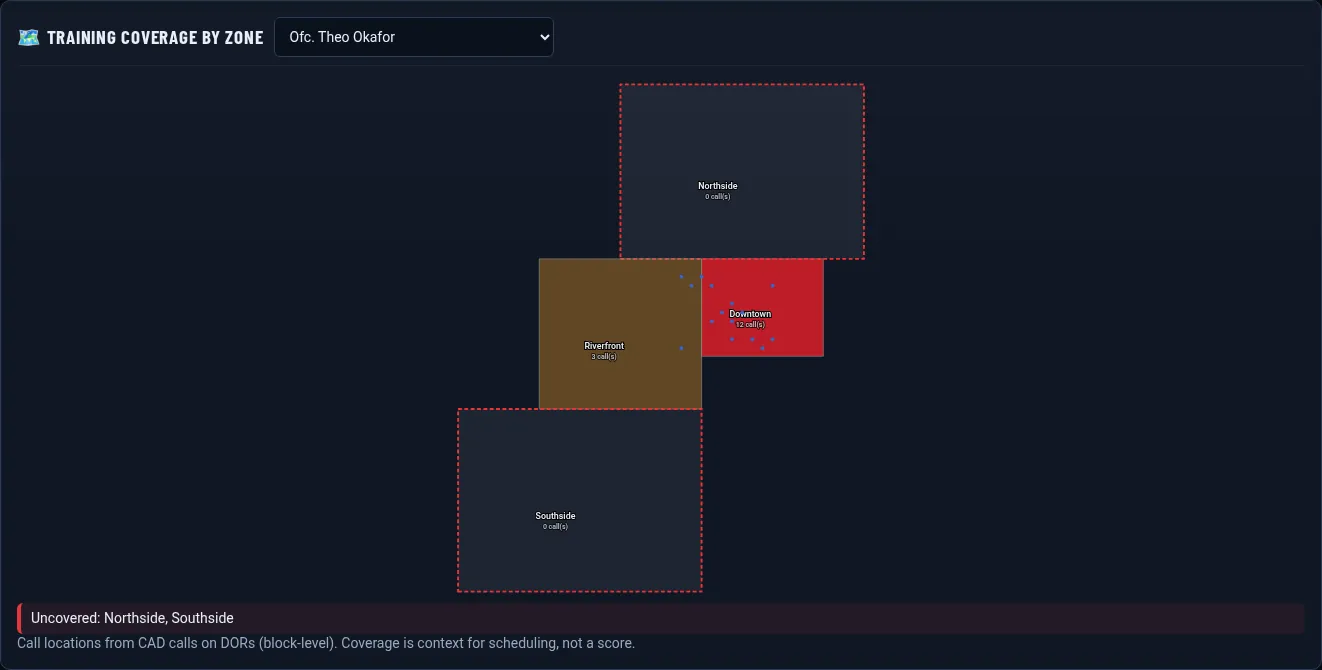
Training coverage heat map (fictional demo data)

16 Training coverage heat map

Calls by beat or zone on a map, with uncovered beats highlighted.

Offline-first DOR editor (fictional demo data)

17 Offline-first DOR editor

Write DORs with no signal. Edits queue on the device, sync when back online, and never silently overwrite a newer copy.

Tamper-evident audit trail (fictional demo data)

18 Tamper-evident audit trail

A SHA-256 hash chain over signed reports and approvals, a Verify integrity button and the hash printed in the release packet.

Also new

Programs, training records and more

All shown with fictional demo data. Click to enlarge.

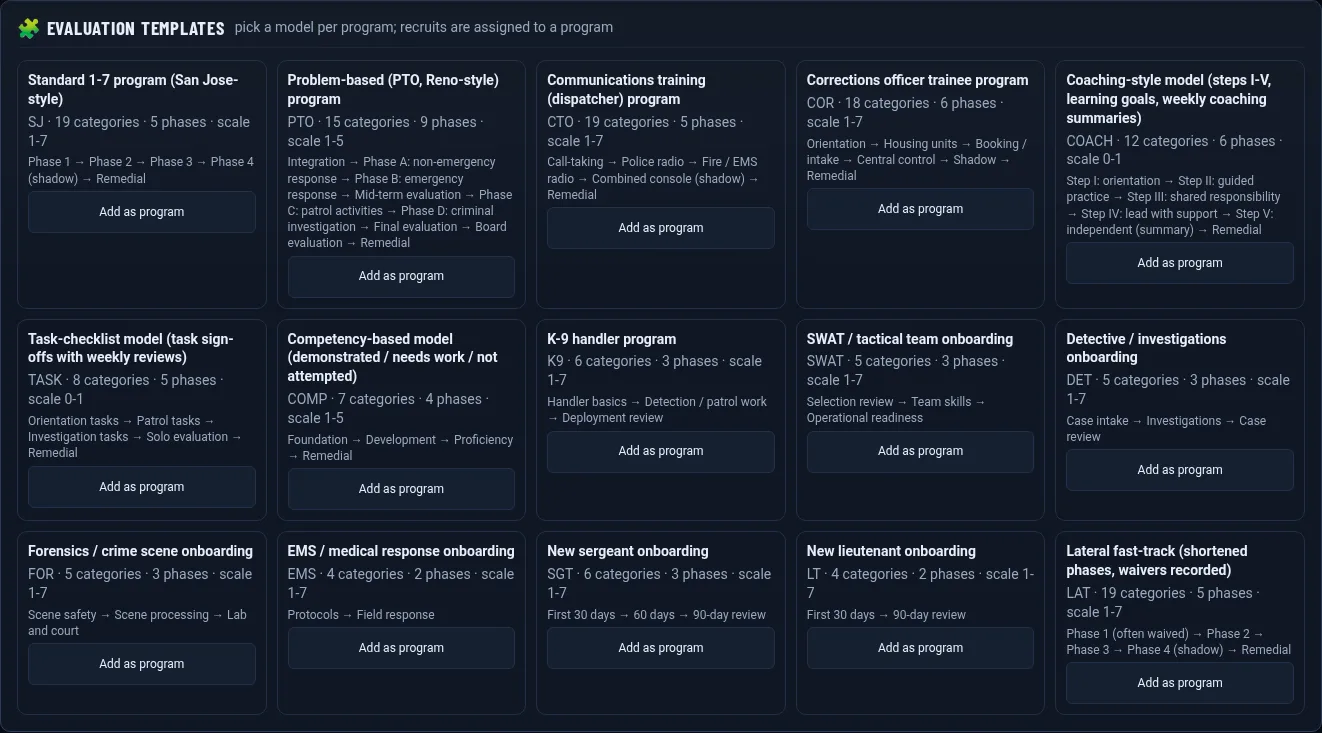
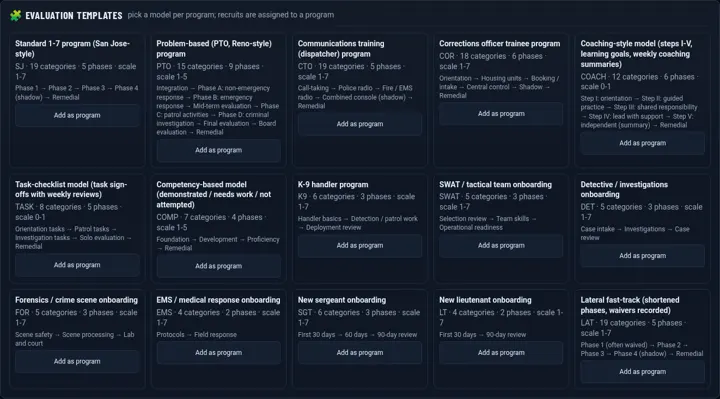
PTO, dispatcher and corrections programs (fictional demo data)

19 PTO, dispatcher and corrections programs

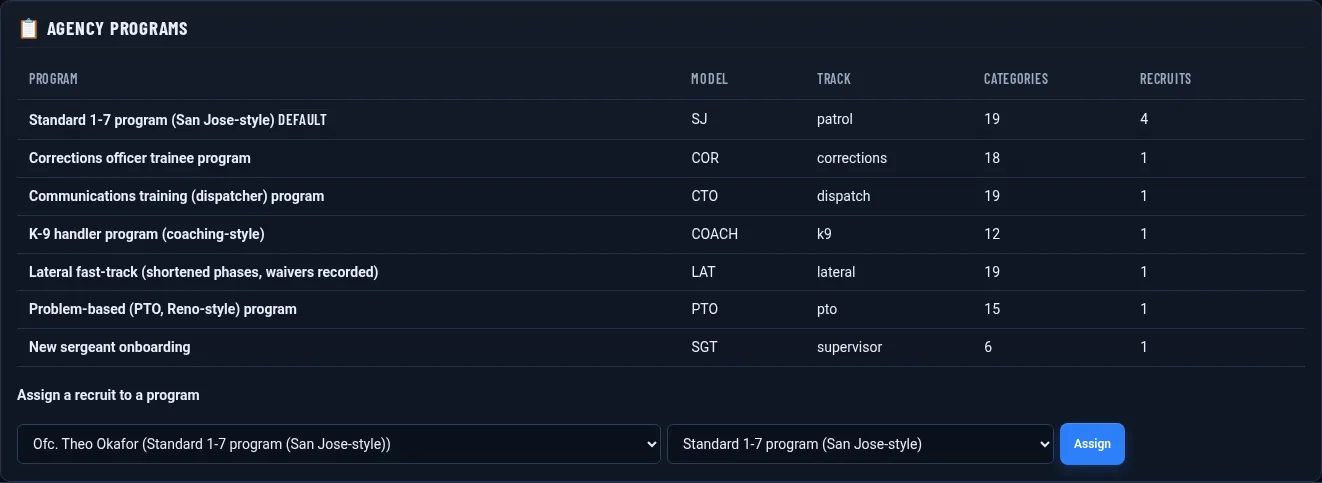
Reno/PTO-style problem-based learning, dispatcher (CTO) and corrections templates, or build your own categories, scale and phases.
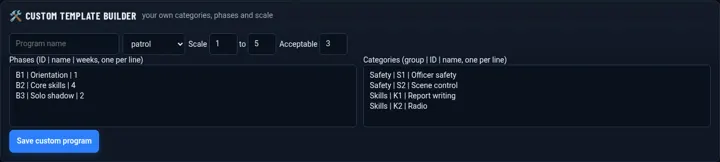
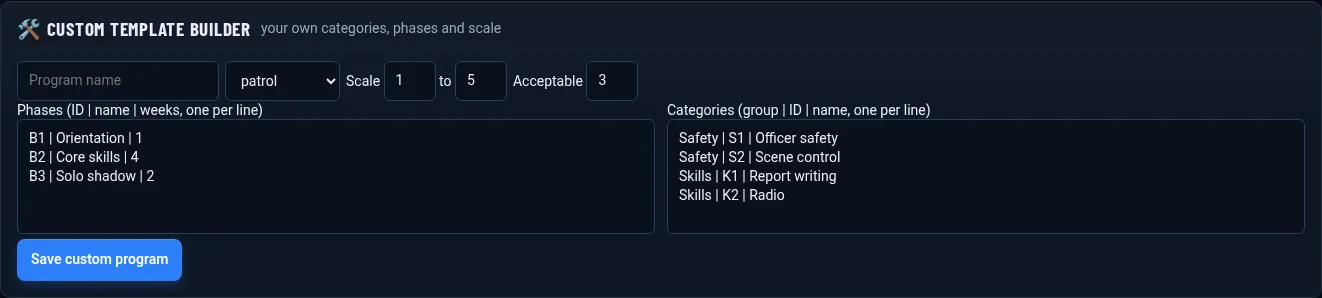
Custom program builder (fictional demo data)

20 Custom program builder

Pick a rating scale, categories and phases; each recruit follows their own program.
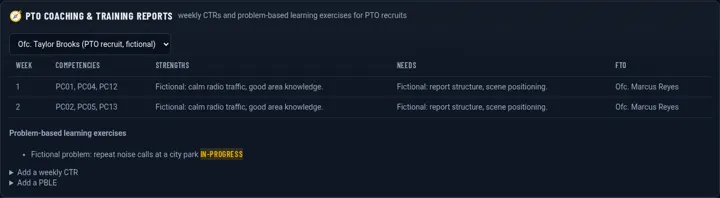
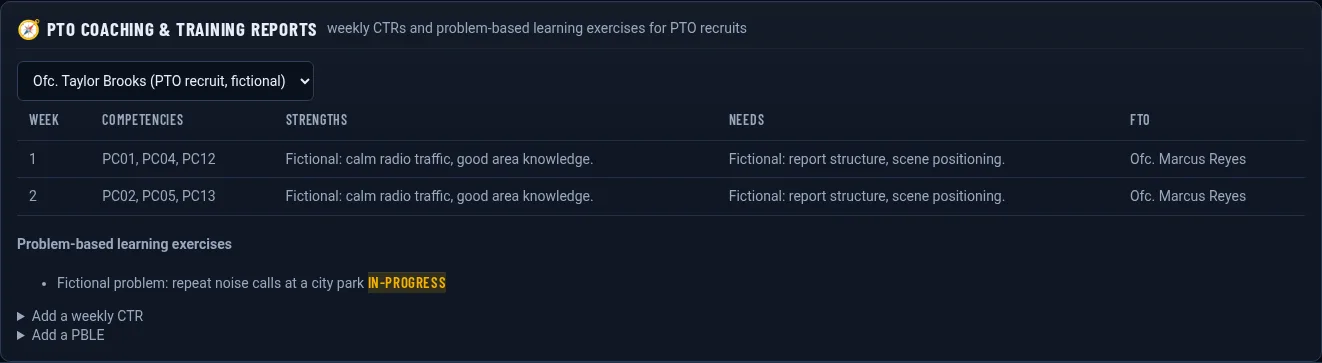
PTO coaching and PBLE records (fictional demo data)

21 PTO coaching and PBLE records

Coaching and training reports plus problem-based learning exercises for PTO programs.

Certifications with expiry alerts (fictional demo data)

22 Certifications with expiry alerts

Track certifications and required hours, with in-app reminders before anything expires.
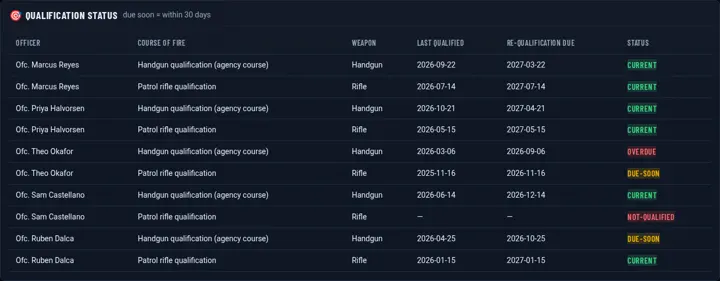
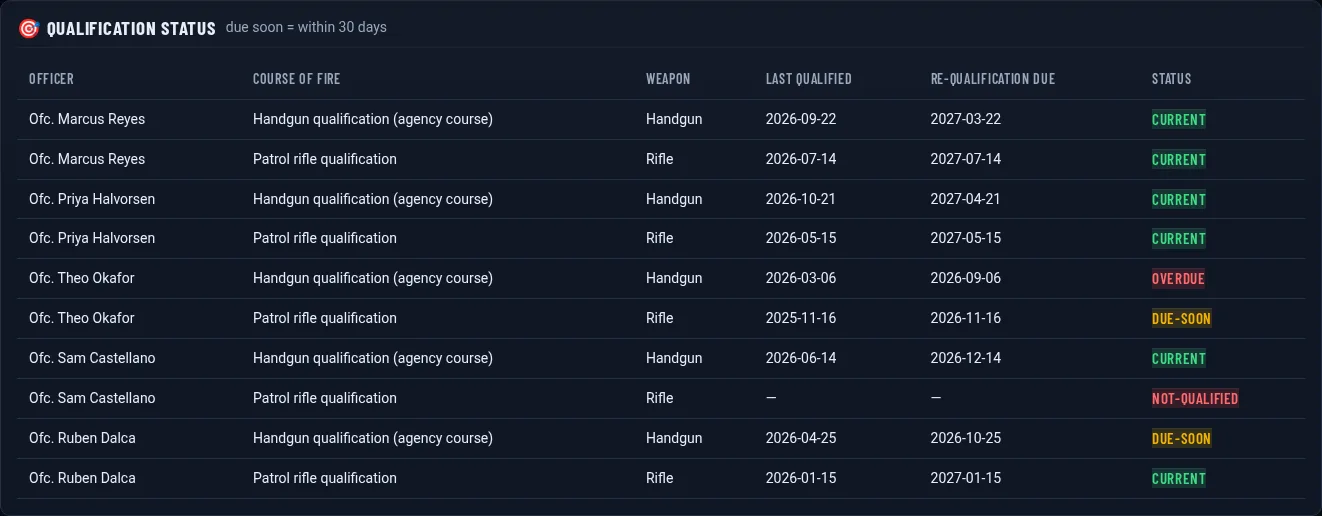
Firearms and range (fictional demo data)

23 Firearms and range

Qualification courses, scores and pass/fail by weapon, with who is due next.
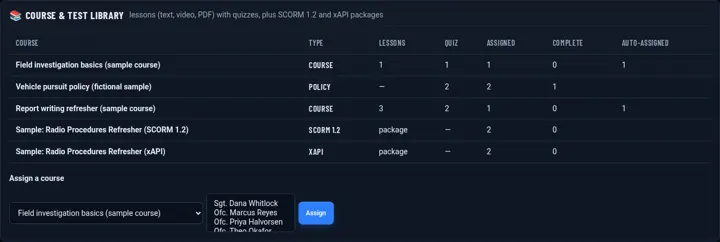
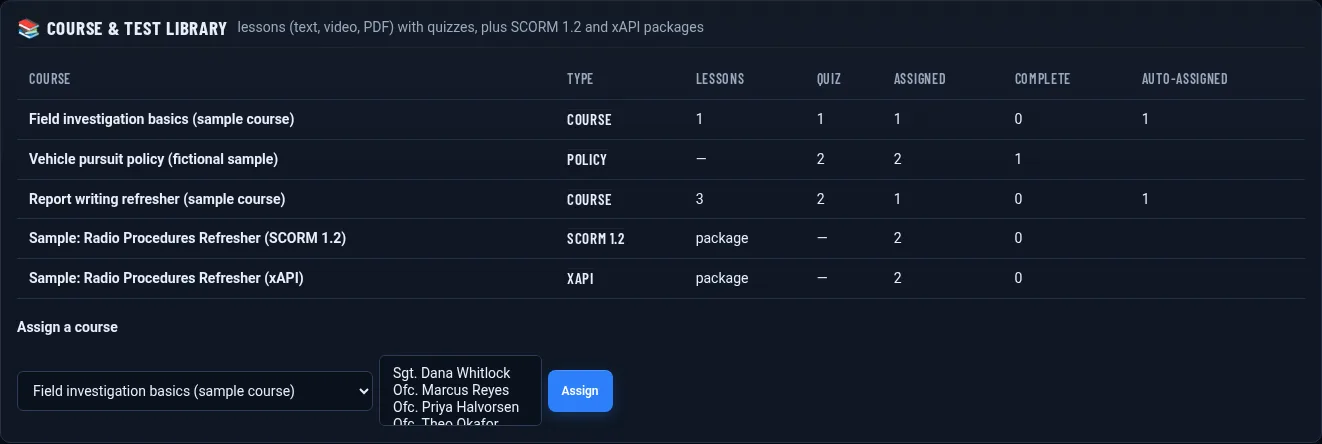
Course library with SCORM 1.2 and xAPI (fictional demo data)

24 Course library with SCORM 1.2 and xAPI

Build lessons and quizzes, or import SCORM 1.2 and xAPI packages and track completions.
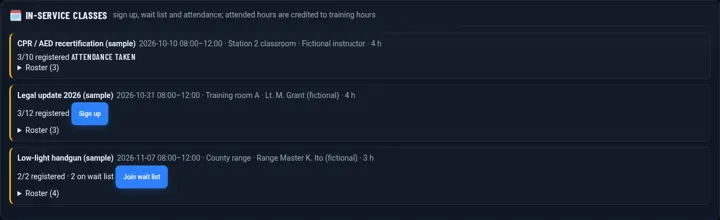
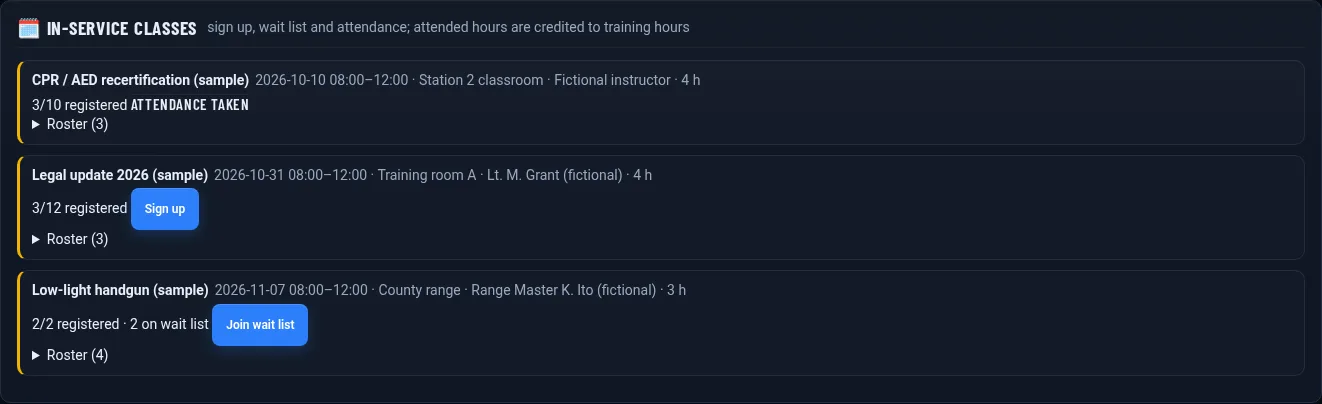
In-service scheduling (fictional demo data)

25 In-service scheduling

Classes with seat limits, wait lists and attendance that credits training hours automatically.
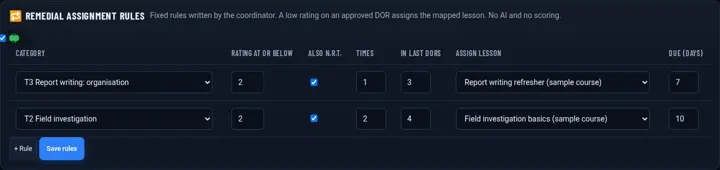
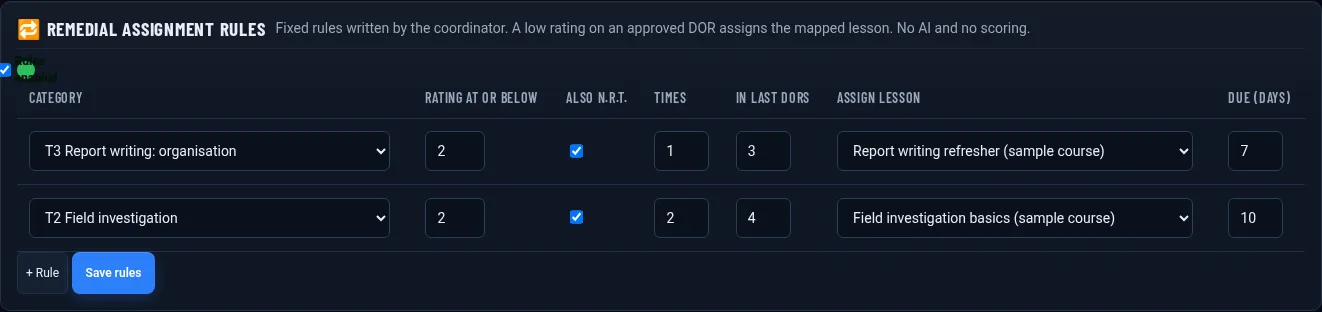
Rules-based remedial assignments (fictional demo data)

26 Rules-based remedial assignments

Your own rules, such as two ratings below standard in a category, assign remedial training. No AI and no scores.
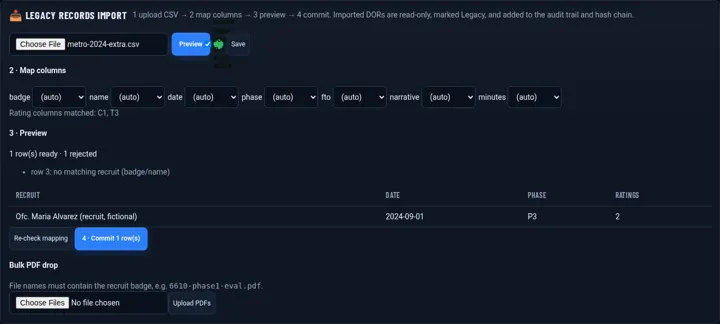
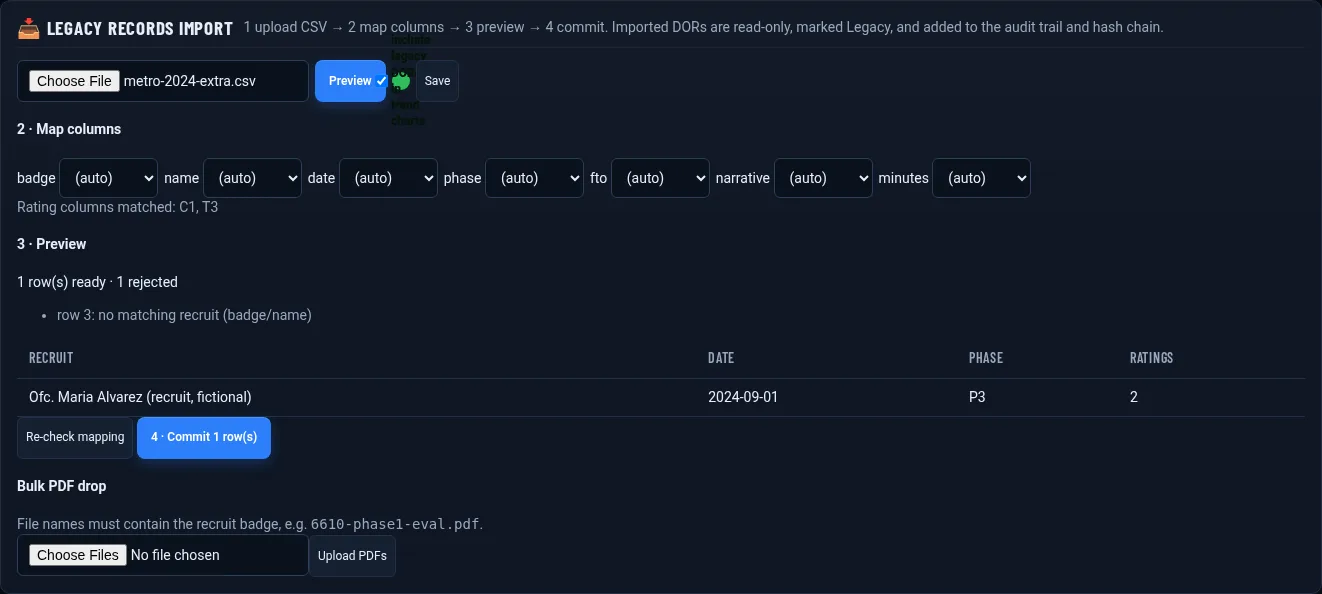
Legacy DOR import (fictional demo data)

27 Legacy DOR import

Bring in past DORs and PDFs from a spreadsheet export. Imported records are locked and labeled as legacy.
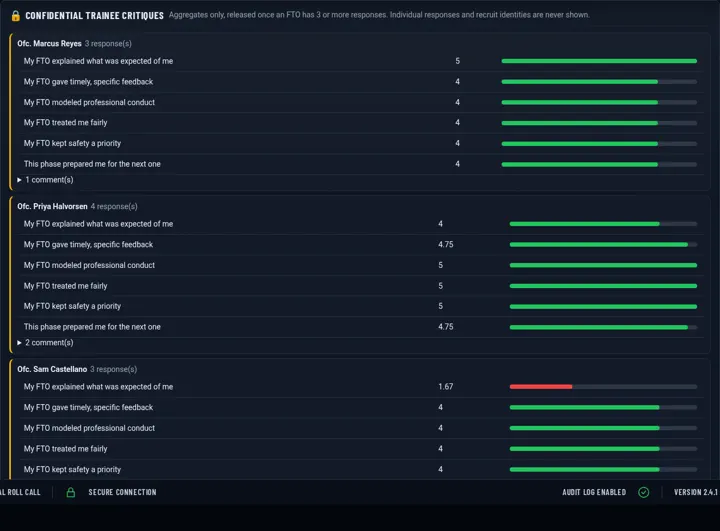
Anonymous FTO critiques (fictional demo data)

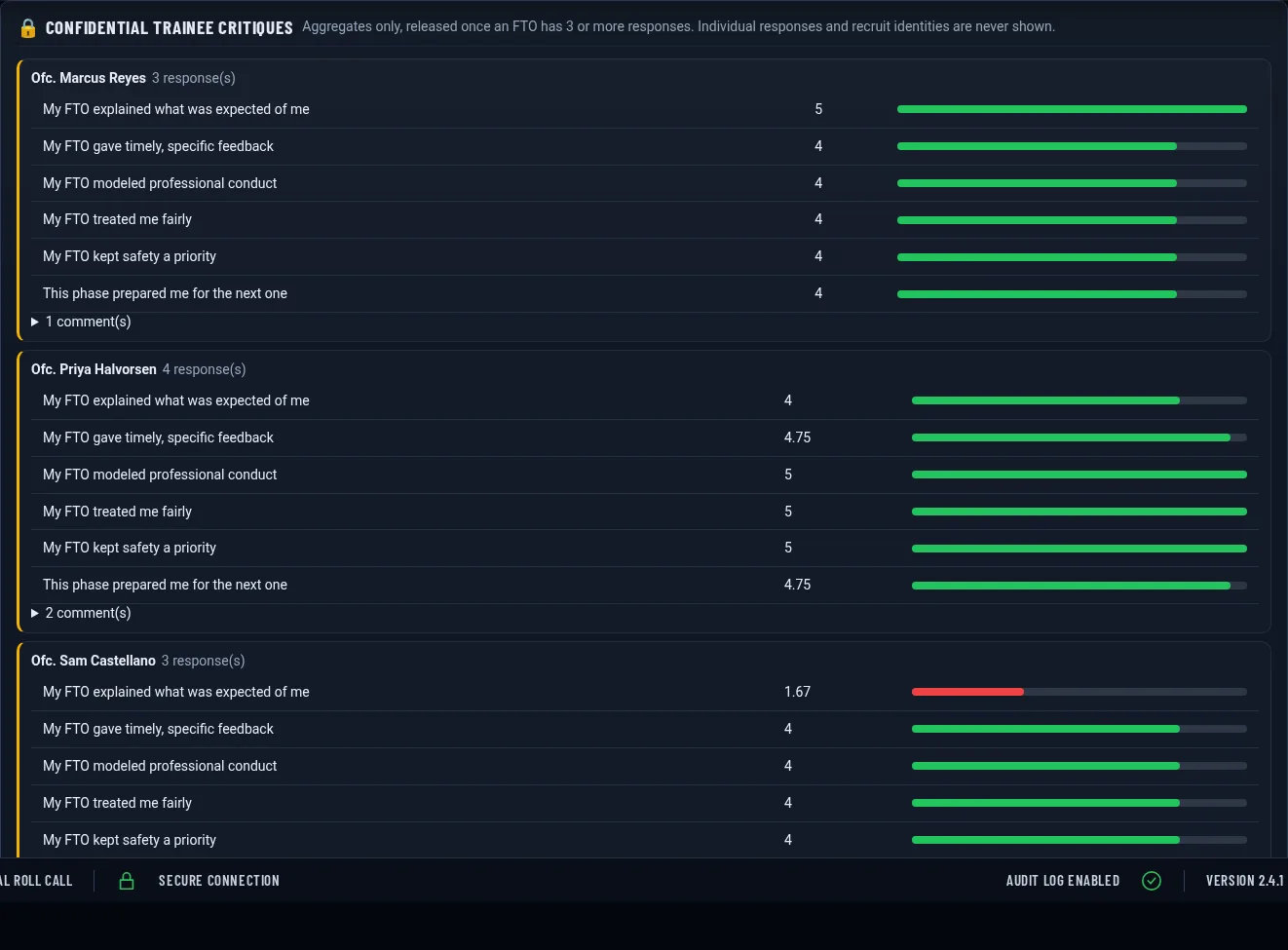
28 Anonymous FTO critiques

Recruits rate their FTOs anonymously; results show only once three or more critiques are in.
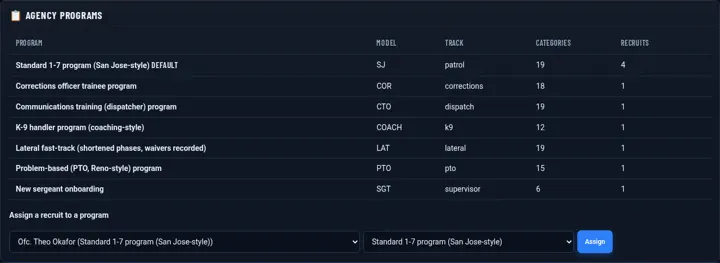
Specialty tracks (fictional demo data)

29 Specialty tracks

Coaching, task-list, K9, SWAT, detective, sergeant, lateral and more, with per-recruit phase waivers.
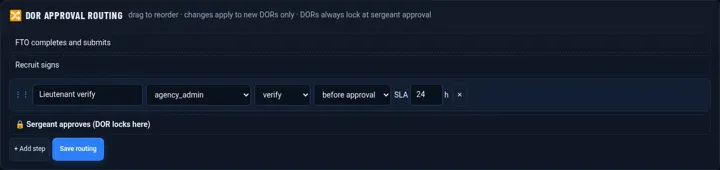
Approval routing (fictional demo data)

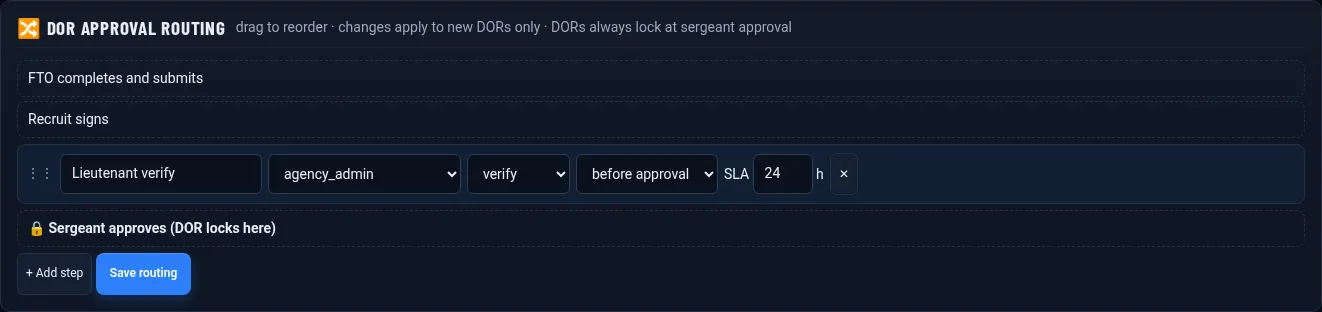
30 Approval routing

Route DORs through extra reviewers by role or unit, with time limits. Locking stays at sergeant approval.
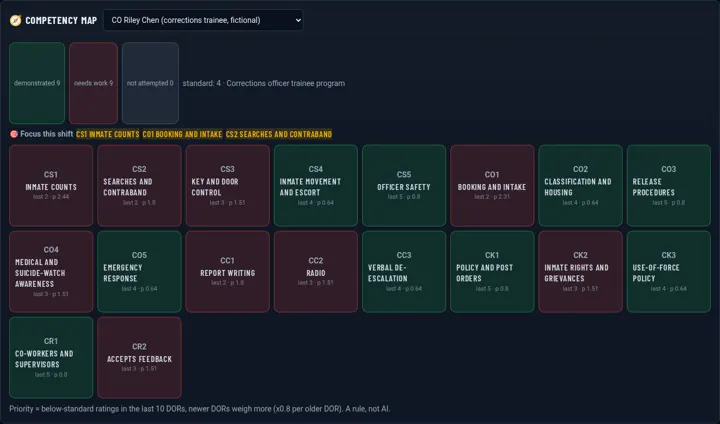
Competency focus (fictional demo data)

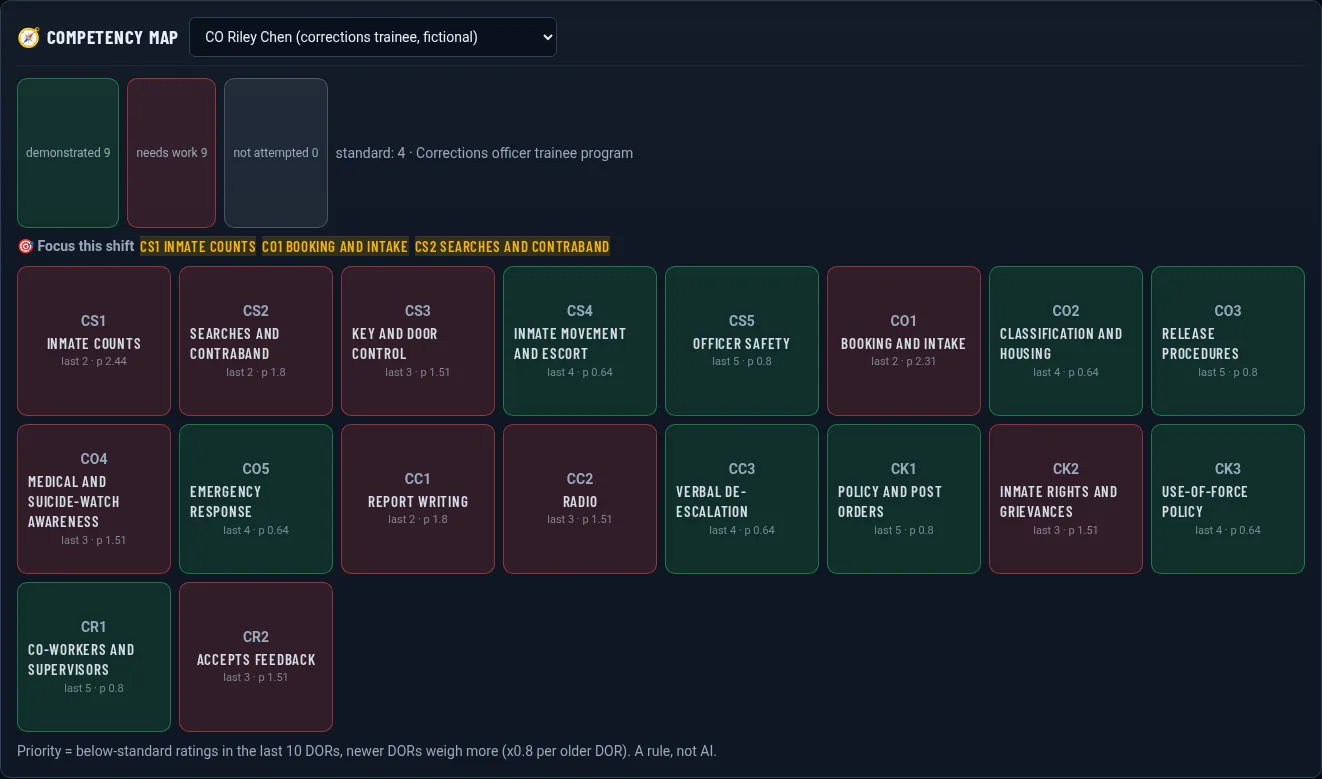
31 Competency focus

Recent weak areas and academy results become the top three focus items in the pre-shift brief.
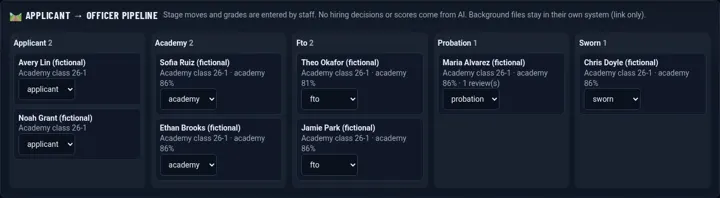
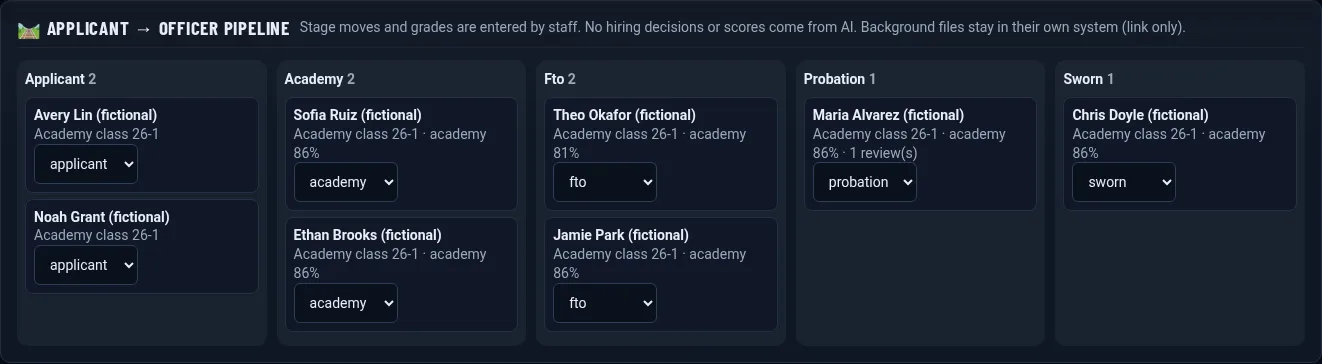
Hiring-to-probation pipeline (fictional demo data)

32 Hiring-to-probation pipeline

Applicant, academy, field training and probation stages, with 6, 9 and 12-month probation reviews.
Scheduled forms (fictional demo data)

33 Scheduled forms

Weekly summaries and end-of-phase forms are created on schedule and assigned automatically.
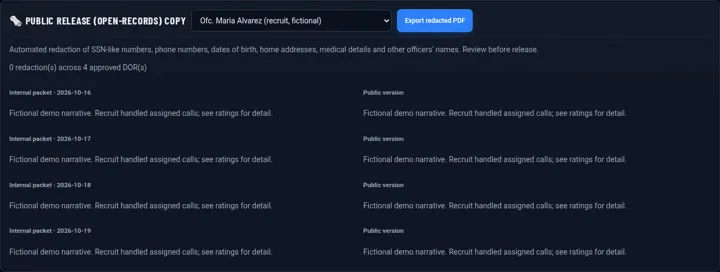
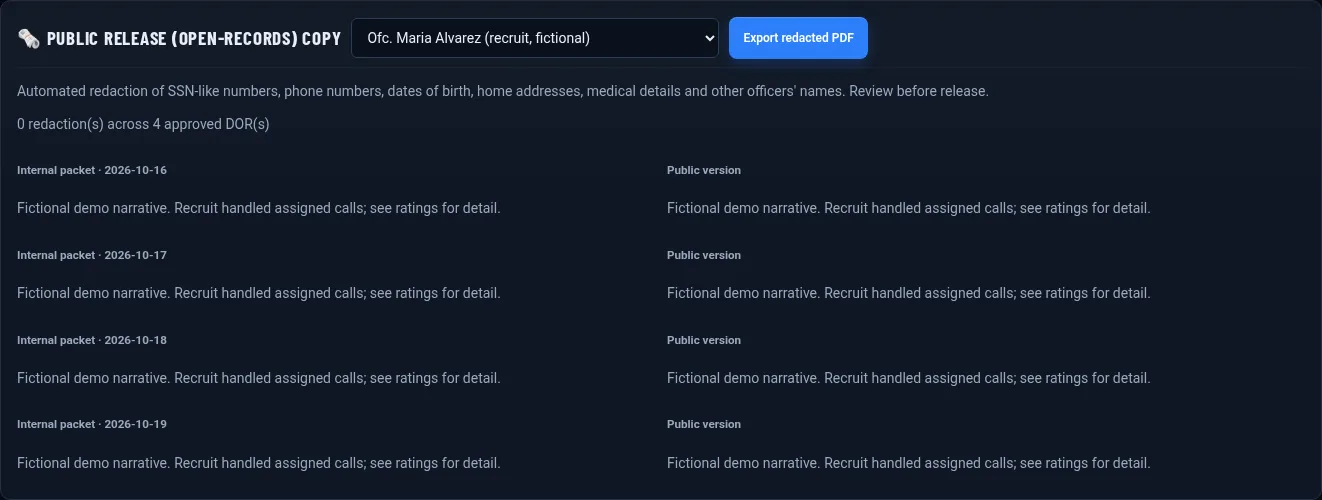
Public-release copies (fictional demo data)

34 Public-release copies

Redact phone numbers, addresses, medical details and names for a records request, and log every export. Review before release.
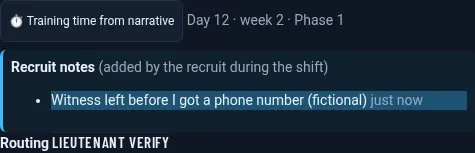
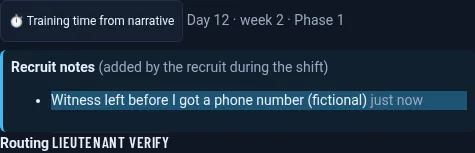
Recruit notes during the shift (fictional demo data)

35 Recruit notes during the shift

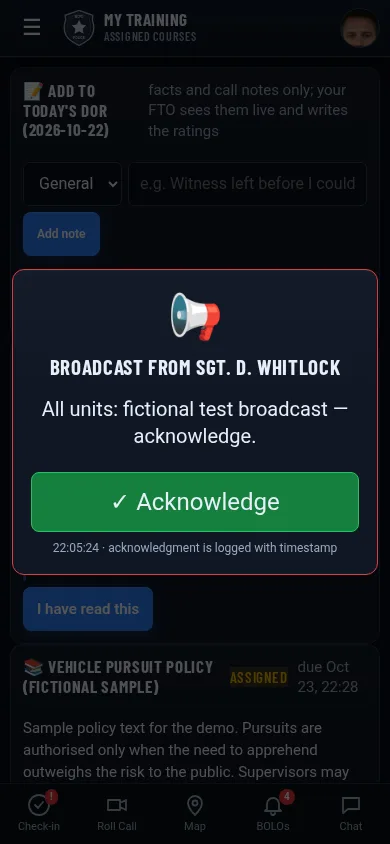
Recruits add notes the FTO sees live while writing the DOR, plus a time calculator for the shift.
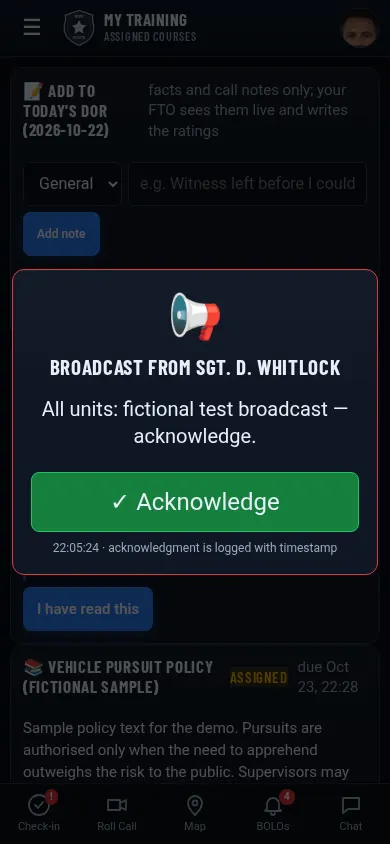
Anti-skip course tracking (fictional demo data)

36 Anti-skip course tracking

Minimum time per lesson, no skipping ahead in videos and randomized quizzes, with fast completions flagged.
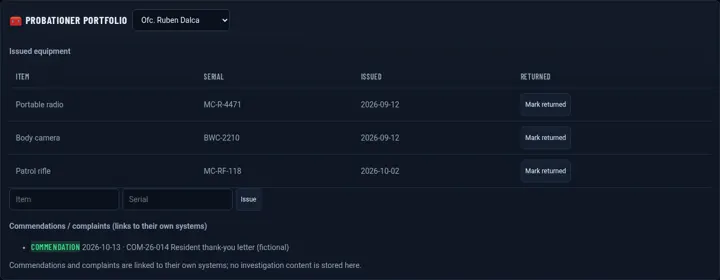
Officer portfolio (fictional demo data)

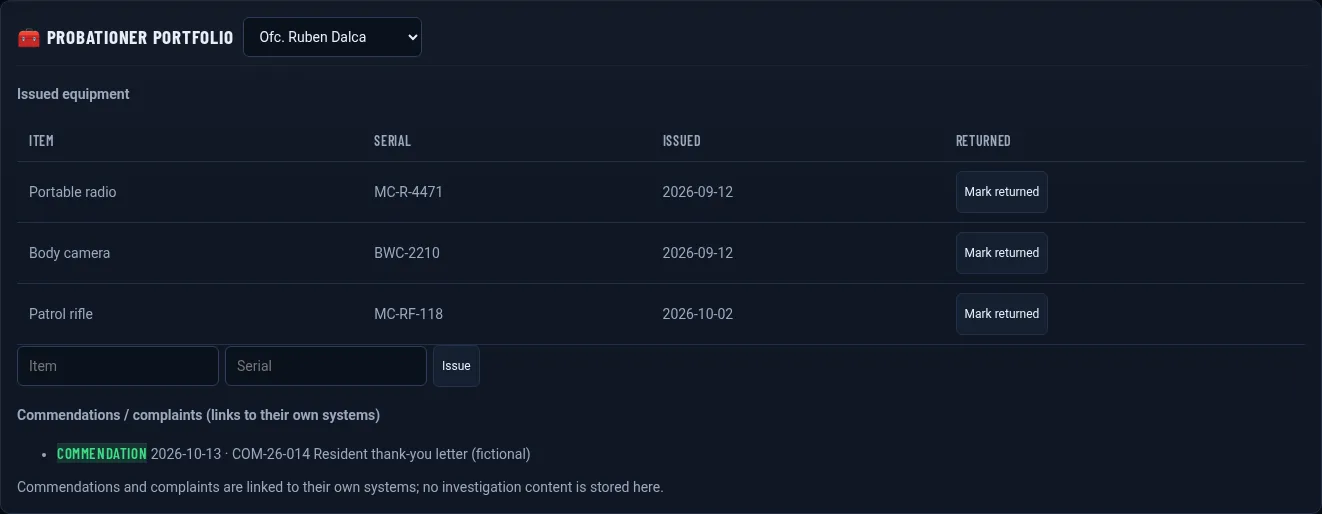
37 Officer portfolio

Equipment issued, links and the training record in one portfolio per officer.

How healthy is your FTO program?

Answer 24 quick questions and get a score for each area, with suggestions. It runs in your browser.

Good to know

People decide

Early warnings, coverage and consistency views are descriptive. FTOs and sergeants make every rating and every decision.

Integrations

CAD was tested with sample data in the formats of eight major vendors. The body-camera connector is generic and shown with sample data; it is not a certified vendor integration.

Integrity

The hash chain is technical tamper evidence for your records. It is not a legal or regulatory certification.

See it with a fictional academy class

Field Training is available as a Roll Call add-on. We’ll walk through a DOR, the approval queue and a release packet live.